Create fantastic fluid menus with a Mac OS X toolbar look
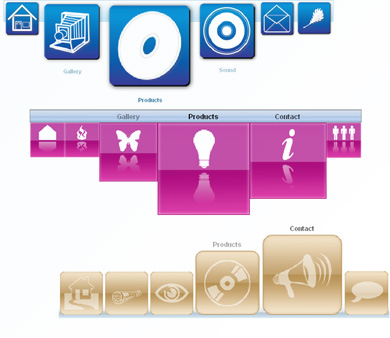
Use Fish Eye Menu, to create fantastic fluid menus with a Mac OS X toolbar look. Use FishEye menu for your website, make galleries, portfolio's, menu's or anything else where you need a cool navigation. All without Flash, pure JavaScript and CSS. Use effects that will make your eyes pop out! Choose from one of the many predefined styles or create your own, there will always be a menu that suits your needs!
Features
- Create fantastic fluid menus - Choose one of the many
supplied Icon Styles, or insert your own. Create your own backgrounds
and create fantastic fluid menus! Get cool zoom in and alpha effects.
- Search Engine Friendly - This extension uses search engine friendly code. The content consist of search engine friendly links, images and XHTML code.
- Full control over your layout and effects of your menus - Set your menu-, icon- and text positioning, insert a background image
or color, control the original icon size, the zoomed size, the padding
between you icons, the smoothness of the animation, text color,
background size, apply border styles, colors and much more within a
single click from your property inspector.
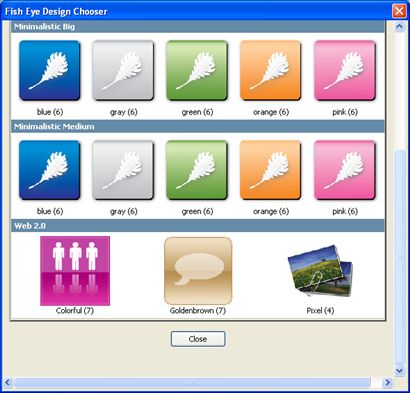
- Rich Gallery with over 200 Icons designed by professionals - Use these great Icon sets for many purposes, no matter what design your
site has, there will always be a great Icon set for it in the gallery.
- Browser Compatibility - All 100% cross browser compatible and browser un-obstructive - so when
no JavaScript is available your images are just displayed as regular
images! If you have a modern browser, you get great fish eye menus!
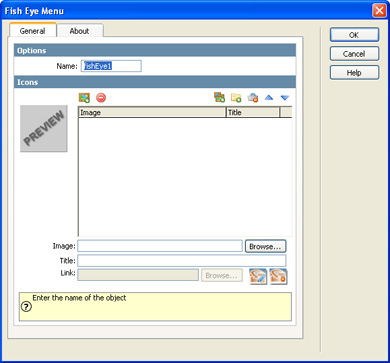
- Fully integrated in Dreamweaver - Set your options within user friendly interface, no coding is required.
- Extended inline property inspector - The property inspector enables you to change several options after you've applied the Fish Eye Menu;
Videos

Combine Fish Eye Menu and DMXzone Lightbox
With this movie we will show you how easily you can combine Fish Eye Menu and DMXzone Lightbox in Dreamweaver for the best user experience.
 Check out the great video about the latest addition to Fish Eye Menu; full integration with Advanced Layer Popup. It shows how easy it is to create a great Fish Eye Menu that displays popup windows when it's buttons are pressed.
Requirements
Type: Suite
Product: Dreamweaver MX 2004, Dreamweaver 8, Dreamweaver CS3, Dreamweaver CS4, Dreamweaver CS5/CS5.5 and CS6, Dreamweaver CC+
Browser: All
History
Version 1.0.7
- Included the latest DMXzone Browser control for the much improved
Dreamweaver Design Mode editing and live preview within Dreamweaver on a
newer Windows versions.
- Full Dreamweaver CC and Extension Manager CC support
- Included new Behavior Connector with restyled UI and better Mac OSX Support
- Updated the automatic file copy and update component for better Dreamweaver CC support
- Improved compatibility with the latest jQuery
- Included latest jQuery 1.10.1
- Improved Windows 8 compatibility
Version 1.0.6
- Improved working of Fish Eye when used in tables in IE
- Improved source file compression for faster loading
- Improved designs chooser for DW CS6
- Included jQuery 1.7.2
- Improved image selection dialog
- Improved Dialogs UI
- Improved folder import
- Improved Dreamweaver CS6 compatibility
- Improved installer for Dreamweaver CS 6.1 (Adobe Creative Cloud) compatibility
Version 1.0.5
- New automatic dependent file updater
- Included new jQuery 1.4.4
- Improved depended file includes
- Improvements with the behavior connector events
- Improved working in Dreamweaver templates
Version 1.0.4
- New and improved extension interface
- New DMXzone Behavior Connector integration for much better cooperation with other DMXzone extensions such as Advanced Layer Popup and DMXzone Lightbox.
Update Procedure:
- Open one page that use the Fish Eye Menu in Dreamweaver
- Select the Fish Eye Menu Object on your page
- Reapply it by clicking on the extension icon from the DMXzone objects panel
- Press the ok button to reapply the extension when the extension dialog pops up
- You should see some alerts about updated files, make sure you upload these to your live server and you are ready.
DMXzone George Petrov is a renowned software writer and developer whose extensive skills brought numerous extensions, articles and knowledge to the DMXzone- the online community for professional Adobe Dreamweaver users. The most popular for its over high-quality Dreamweaver extensions and templates.
George is also the founder of Wappler.io - the most Advanced Web & App Builder
See All Postings From George Petrov >>
Reviews
Be the first to write a review
You must me logged in to write a review.