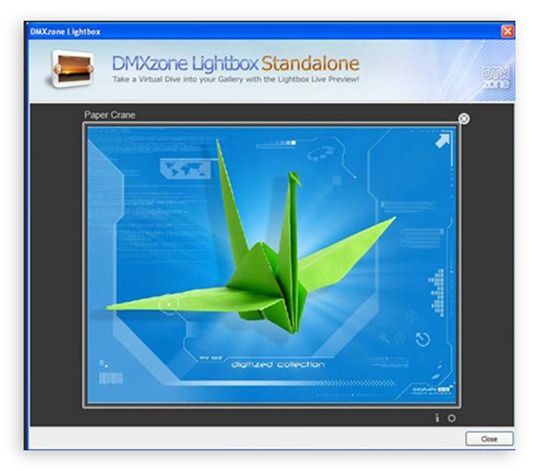
Ever wanted to open your great looking photos in a modal stylish
popup, catch the user's full attention? Meet the DMXzone Lightbox - It
offers amazing Lightbox popup designs that catch the eye and amaze the
user with its slick designs and easy usage!
The DMXzone Lightbox
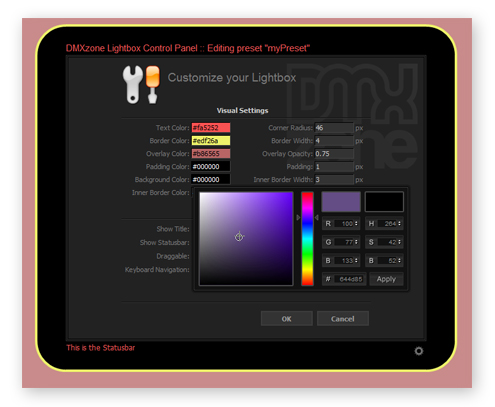
has been created with fully customizable design presets allowing you to
explore your creativity and fit the Lightbox perfectly into your site
design. With a single click you can add Lightbox functionality to any
existing elements like images, links or forms! With the build-in
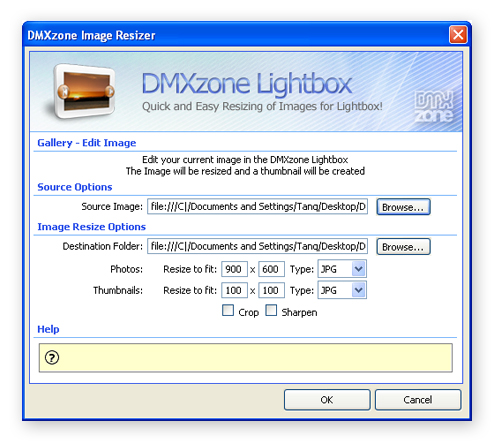
DMXzone Resizer the Lightbox will directly resize your images, create
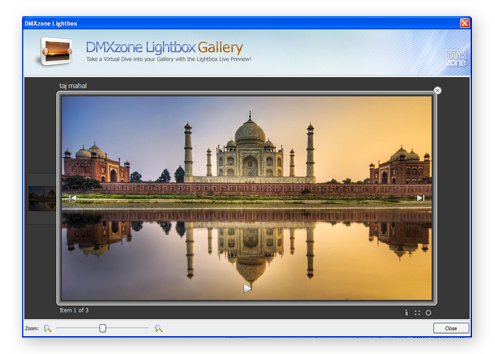
thumbnails and even combine images in galleries, while getting a live
preview of the Lightbox inside Dreamweaver. Enjoy your great Lightbox
designed and drawn specifically for you.
The DMXzone Lightbox is
the first ever Canvas based Lightbox control! With Canvas the design of
your Lightbox is fully drawn online! No more including weird corner
images to make it look good!
Fully customizable design presets, with great round corners, all drawn in real time with canvas! No more faking corners with images
Configuring/editing already designs with the interactive DMXzone Lightbox Presets Explorer
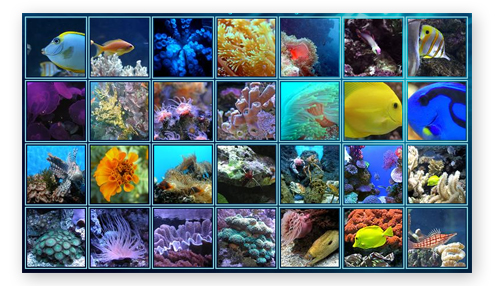
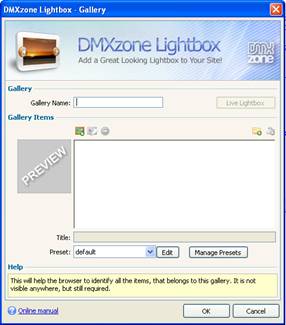
Ability to combine images in galleries that open in the Lightbox dialog
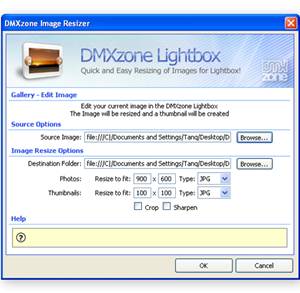
Automatically resize images and generate thumbnails by using the build-in DMXzone Image Resizer The extension has a built-in super fast, multithreaded image processor in Dreamweaver, that will resize your images and make thumbnails in an eye blink. Original images can be automatically resized to fit the specified size while the proportions are maintained. Without any external applications, no more Fireworks or Photoshop needed.
Use Lightbox to open regular, existing links in the Lightbox dialog
Great integration in Dreamweaver offering fully interactive live preview of the Lightbox options and designs within Dreamweaver!
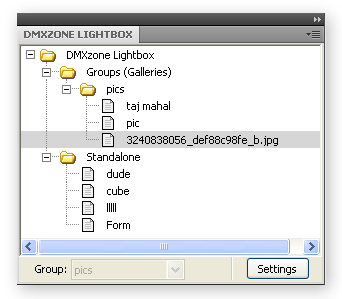
Build-in own Floater in Dreamweaver - all Lightbox elements are inspected by its own Floater, so you don't lose the ability to edit your images and links in Dreamweaver but rather you get additional options
Web standards based
The gallery complies to the latest web standards of the W3C
JavaScript Unobtrusive
Images will always display correctly, even if your users don't use JavaScript or have a very old browser
Search Engine Friendly
Due to the advanced incorporated technology this gallery is the ultimate search engine friendly gallery so the gallery titles and descriptions are well indexed by search engines
Interoperability with the DMXzone Behavior Connector
Open pages with your DMXzone Lightbox that contain other DMXzone extensions such as Advanced Tooltips, Advanced Layer Popup, Flash MP3 Player, etc.
Control the DMXzone Lightbox with your own customized interface, using behaviours.
Slideshow option with automatic thumbnail popup
Create great slideshows with the DMXzone Lightbox Gallery option.
Images are resized while constraining proportions
Original images can be automatically resized to fit the specified size while the proportions are maintained using Dreamweaver or Fireworks
Integrated in Dreamweaver
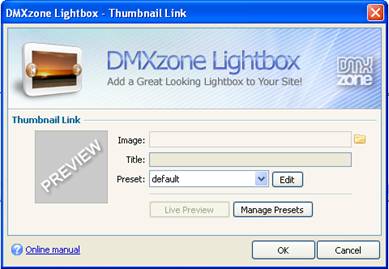
Interactive dialog in Dreamweaver with all the options you'll need
Preview in Dreamweaver
You can see a live preview within Dreamweaver of how your gallery, link, or item will look like and navigate within the photos and links just as a user would on the web!
Working with Lightbox Presets Explorer With this moviewe will show you how easily you can work with Lightbox Presets Explorer configuring or editting already existing designs, called presets using the incredible user-friendly interface.
Creating Lightbox Gallery with a Single Thumbnail With this movie we will show you how to create a Lightbox Gallery with only one thumbnail on your page.
Playing Flash Video Files within the DMXzone Lightbox With this movie we will show you how to play flash video files (flv) within DMXzone Lightbox, using the built in flash player.
Product Tour with Gallery and HTML Pages in DMXzone Lightbox With this movie we will show you how easily you can create a product tour with gallery and html pages in popups, using the DMXzone Lightbox.
Dynamic Lightbox Movie With this movie we will show you how easily you can create a dynamic DMXzone Lightbox by using a standard Dreamweaver recordset.
Show Your Location Into a Lightbox Window With this movie we will show you how to show your location into a popup window, using DMXzone Google Maps and DMXzone Lightbox.
Show your Images in a Cool Lightbox With this movie we will show you how easily you can show the images from CSS Image Gallery in DMXzone Lightbox for greater user experience.
Creating a 3D ImageFlow Gallery within a Lightbox With this movie we will show you how easily you can use 3D ImageFlow Gallery within DMXzone Lightbox.
Load a Dynamic Flash Image Enhanced Photo Based on a URL parameter With this movie we will show you how easily you can parse a URL paramter from 3D ImageFlow Gallery and load a dynamic image in Flash Image Enhancer based on the parsed parameter.
Combining DMXzone Lightbox and Flash Image Enhancer With this movie we will show you how easily you can combine in Dreamweaver two of the most amazing DMXzone extensions - Flash Image Enhancer and DMXzone Lightbox, and give your users a great visual experience.
Creating a Gallery with a Cool Photo Navigation With this movie we will show you how to pan and zoom across your photos using Active Photo Viewer within a cool DMXzone Lightbox window.
Showing DMXzone Nivo Slider Images in a Lightbox With this movie we will show you how easy it is to open your DMXzone Nivo Slider images in DMXzone Lightbox.
Open Your Calendar Events in a Stylish Lightbox Window With this movie we will show you how to use Ajax Event Calendar with DMXzone Lightbox in order to enhance the user experience.
Creating Fantastic Billboard slides and Open them in a Lightbox With this movie we will show you how to combine Sliding Billboard and DMXzone Lightbox in order to create amazing slides which open links in cool popup windows.
Validate your Forms within a DMXzone Lightbox With this movie we will show you how to validate your forms within a DMXzone Lightbox window using the Universal Form Validator ASP.
Combine Fish Eye Menu and DMXzone Lightbox With this movie we will show you how easily you can combine Fish Eye Menu and DMXzone Lightbox in Dreamweaver for the best user experience.
Enhancing DMXzone Lightbox Gallery Thumbnails using HTML5 Image Enhancer With this movie we will show you how to enhance DMXzone Lightbox gallery thumbnails using HTML5 Image Enhancer.
Create a menu that is positioned on any side of your browser and navigate the Sliding Billboard. With this movie we will show you how to navigate the Sliding Billboard sections through Universal CSS Navigation Menu. The Sliding Billboard content opens in a DMXzone Lightbox.
Navigating the Ajax Event Calendar through DMXzone Calendar With this movie we will show you how to combine the Ajax Event Calendar with DMXzone Calendar using behavior connector.
Included the latest jQuery 1.10.2 for full IE11 compatibility
Version 1.0.14
Full Dreamweaver CC and Extension Manager CC support
Updated the automatic file copy and update component for better Dreamweaver CC support
Improved compatibility with the latest jQuery
Included latest jQuery 1.10.1
Improved Windows 8 compatibility
Version 1.0.12
Fix for IE7 positioning
Latest FlowPlayer version included with many improvements
Improved compatibility with the latest jQuery version
Latest jQuery 1.6.3 included
Version 1.0.11
Improved automatic shared file copy, synchronization and upload from Dreamweaver
Removed the automatic lightbox cleanup functionality
Optimized source and files for smaller size
Version 1.0.10
Improved Support for iPad and iPhone
Improved YouTube video embedding also works great on iPad & iPhone
Minified all Lightbox plugins
Included new jQuery 1.4.4
Improved depended file includes
Improvements with the behavior connector events
Improved working in Dreamweaver templates
Fixed problems with absolute paths
Version 1.0.9
The DMXzone Lightbox was already able to play all your own content and videos in its cool looking viewer - but now you can go even a step further and play videos directly fetched by an RSS/ATOM feed like from YouTube by our newest Feed Genie ASP!
Version1.0.7
iPad compatibility - now the
DMXzone Lightbox works great on the iPad!
Improved DMXzone Image
resizer for Mac OSX
Improved support for Windows 7
Even
faster resizing by using all the available cores of the CPU's
Updated
compatibility with other DMXzone extensions
Improved file
update and synchronization
Version 1.0.5
Improved Lightbox nesting
Improved procedure for updating Lighbox code and files
Various stability fixes and improvements for Dreamweaver on Mac OSX
Version 1.0.4
Browser optimizations:
Great browser performance optimizations delivering more than 30% speed improvement!
Support for new image rendering CSS properties in the newest browsers. If you have one of those (Firefox 3.6+ or IE 7+) the Lightbox will be even faster!
Dynamically loading of depended files only when needed – as the Lightbox uses many plugins to display different content types, those are now much better loaded on demand.
Latest version of Flowplayer included to play FLV files
PDF plug-in is smaller and much faster now
New Animated Close effect
New Preset called “simple”
New drop shadow for browsers that supports it (FF 3+, Safari 3+, Chrome)
Dreamweaver optimizations:
Performance optimizations in Dreamweaver – the Lightbox can be inserted and edited much faster now
New method for uploading related files – now when related files are generated by the Lightbox, the user is presented a dialog containing list of new files and with the choice to upload them all at once. No more files to forget to upload.
Improved “Lightbox Link” command
Improved Preset switching and management
Version 1.0.3
Support for Opera 10
Allow Lightbox nesting up to four levels
Index page smart duplicate filtering - if there are several links on the page, pointing to same destination, only one of them will be included at the index page
New Content Type Parameter so you can include all type of content, like Youtube videos directly and the Lightbox will know how to display them
The Control Lightbox behaviour is extended to include options for keyboard navigation
Improved stability and open speed
Version 1.0.2
Full Support for playing Flash Videos in the DMXzone Lightbox! All popular Flash Video formats can now be easily player in their own Lightbox and even linked in a gallery view!
Auto generate needed embed code for playing Flash files (flv/swf)
Full Support for displaying PDF files in the DMXzone Lightbox! You can now directly link a PDF file to be displayed in the Lightbox and it will load nicely inline!
Improved auto resize of the DMXzone Lightbox when Flash SWF movies are loaded directly
Improved loading on demand and caching of the DMXzone Lightbox files
Various Security Optimizations
Compatibility fixes for IE6
Version 1.0.1
Improved the Open DMXzone Lightbox behavior
Support for Spry Data components
New option to show/hide index button
New option for statusbar text
Full international support, customizable texts improved the build-in Image Resizer for Mac OSX
New option to specify Lightbox group (gallery) while inserting single items
Improved Insert Lightbox Link command
Update Procedure:
Open a page that uses DMXzone Lightbox
You will see a progressbar that updates the new files
You should see some alerts about updated files - make sure you upload them to your live server
If you experience any troubles with your browser try deleting your browser cashe to make sure that the new lightbox code is loaded.
George Petrov is a renowned software writer and developer whose extensive skills brought numerous extensions, articles and knowledge to the DMXzone- the online community for professional Adobe Dreamweaver users. The most popular for its over high-quality Dreamweaver extensions and templates.
George is also the founder of Wappler.io - the most Advanced Web & App Builder
This is a real gem in the vast market of pop-up extensions. Its customizations are really very well thought and most useful. The only drawback is the emphasis on "heavy" designs. I prefer the lean and clean layouts which are also there but perhaps a bit under - represented.
Altogether the best Lightbox extension I know. Gives more individuality to your site























 George Petrov is a renowned software writer and developer whose extensive skills brought numerous extensions, articles and knowledge to the DMXzone- the online community for professional Adobe Dreamweaver users. The most popular for its over high-quality Dreamweaver extensions and templates.