Holiday Reservation System with DMXzone Calendar 2
January 12, 2012
Today, we will show you how to build a reservation system with the DMXzone Calendar 2. In the first part we designed a demo version of a website with the form and in the second you can watch a video tutorial how to do that in Dreamweaver. If you still don't have the DMXzone Calendar 2, make sure to do that soon because it's with a special price until 18th January!
The demo website will be available soon as a free template so stay tuned!
The Story
Overview:
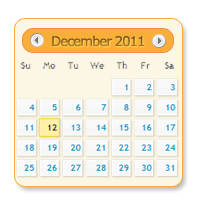
In this demo website you can see how we implemented our DMXzone Calendar 2 into a reservation system for a hotel/villa. We added non selectable for pick up date with a CSS class that colors them. Additionally, the calendar appears both on focus and icon click.
How to do it:
In this video tutorial we will show you how to add reserved dates into your hotel or villa reservation system using DMXzone Calendar 2.
Lubov has been with DMXzone for 8 years now, contributing to the Content and Sales departments. She is bringing high quality content in the form of daily blog updates, reviews, tutorials, news, newsletters,update emails and extensions' manuals. If you have a product that needs publicity or any other questions about the entire DMXzone community, she is the one you can contact.

 Lubov has been with DMXzone for 8 years now, contributing to the Content and Sales departments. She is bringing high quality content in the form of daily blog updates, reviews, tutorials, news, newsletters,update emails and extensions' manuals. If you have a product that needs publicity or any other questions about the entire DMXzone community, she is the one you can contact.
Comments
Be the first to write a comment
You must me logged in to write a comment.