Features Highlights:
- Uploading files via Form
- Uploading files and saving the rest of the fields in the database
- Full Support for PHP5
- Optional file upload
- Extended online help
Image size check before and after the upload, full integration with Dreamweaver PHP_MySQL and its Insert / Update Server Behavior, generate unique filenames and dynamic upload folders! No extra coding needed.
This product is discontinued, please get the Pure PHP Upload 3!
INSTALLATION: This extension is now with secured installation, read installation guide
SUPPORT: Please post support questions in the Pure PHP Upload support forum! All questions etc. posted below this page will be moved to that forum and deleted from this page.
PAYMENT NOTE ! When buying this extension please use the same email address as the one you used to register with DMXzone. If you want to use another email address we suggest you to change the email address in your profile BEFORE you purchase. This will make it easier for us to enable downloads and will avoid mistakes.
In this demo you can upload your song with the help of Pure PHP Upload 2 and listen to it in our HTML5 MP3 Player. When clicked on Upload a Song, a Lightbox window pops up, where you can select your mp3 file. We also supplied the player with 3 songs, which play directly from a File Genie PHP list.
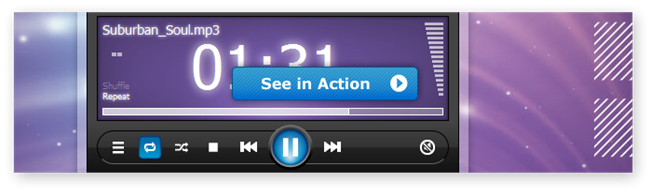
In this showcase we used a number of DMXzone extensions in order to make it play your uploaded mp3s and images.

Use Advanced Multi Uploader in order to upload your images and Smart Image Processor PHP will resize and watermark them.

Shows the Power of Pure PHP Upload 2 together with Dynamic Flash Gallery PHP
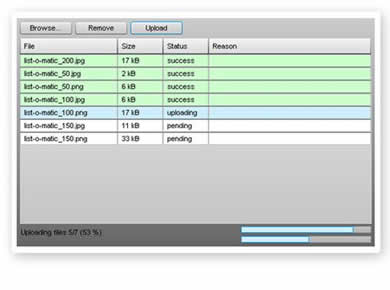
This demo shows how you can upload multiple files with Pure PHP Upload 2 or Pure ASP Upload 3 and the Advanced Multi Uploader extension.

Upload, Resize, Watermark and Display Pictures on a Webpage
With this movie we will show you how to combine Pure PHP Upload 2, Smart Image Processor PHP 2 and File Genie PHP in order to upload, resize, watermark and display pictures on a webpage.

Insert, Upload and Resize Images in Advanced HTML Editor 3
With this movie we will show you how easy it is to Upload, Resize and Insert images in Advanced HTML Editor 3 with the integrated Pure PHP Upload 2 and Smart Image Processor PHP 2 support.

Update your Dynamic CSS Image Gallery using Advanced Multi Uploader
With this movie we will show you how easily you can update your Dynamic CSS Image Gallery using Advanced Multi Uploader

Uploading Multiple Files using Advanced Multi Uploader and Pure PHP Upload 2
With this movie we will show you how easily you can upload multiple files using Advanced Multi Uploader and Pure PHP Upload 2.
 Upload and Resize Multiple Files
In this video we'll show you how easy it is to resize multiple images using, Pure PHP Upload 2, Smart Image Processor PHP 2 and the Advanced Multiple Uploader extensions.
Create a Multiple File Upload Manager In Seconds
In this video we'll show you how easy it is to create a Multiple Upload Component on your page with Pure PHP Upload 2 and the Advanced Multiple Uploader extensions.
Upload multiple files and add their file names in the database
In this tutorial we'll show you how easy it is to upload multiple files and adding their file names in the database with Advanced Multiple Uploader and Pure PHP Upload 2.
You can also use Pure ASP Upload 3 or Pure ASP.NET Upload 2 to achieve a similar result.
 George Petrov is a renowned software writer and developer whose extensive skills brought numerous extensions, articles and knowledge to the DMXzone- the online community for professional Adobe Dreamweaver users. The most popular for its over high-quality Dreamweaver extensions and templates.
George is also the founder of Wappler.io - the most Advanced Web & App Builder
Pure PHP Upload is another great extension from George Petrov of Dynamic Zones, which allows you to easily create upload forms using the Dreamweaver MX PHP Server Model, allowing your site users to upload files or images to your server.
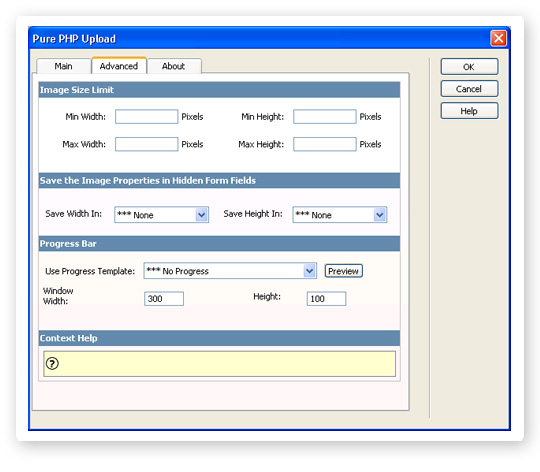
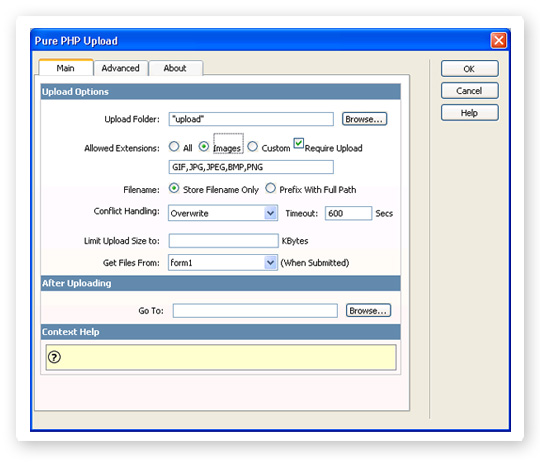
The extension is easy to apply, with a tabbed interface allowing easy access to the many options available within the extension. The extension is very configurable, and has many options allowing you to tailor the code produced so that it matches your exact needs. For example, you can specify the extension of files that are allowed to be uploaded, and for images, the minimum and maximum image sizes that can be used.
If a file with the same name as the one being uploaded is already present on the server, you have a number of options such as overwriting the existing file, displaying an error message, or creating a new unique filename.
One really nice feature is the inclusion of a number of small animated flash movies, from which you can select one to be displayed in a pop up window as the file is being uploaded, giving useful feedback to the end user, and adding a more professional touch to your site.
The main PHP code for the extension is added to your site as an include file, which minimizes the amount of code added to your actual page, and keeps everything neat and tidy.
Congratulations to George for another well thought out extension with a number of nice features, and it makes a great addition to your Dreamweaver MX toolbox.

One of the many reasons that make PHP such an attractive language for me, is the fact that it handles file uploads natively - without the need to install 3rd party software. This has always been fine for people who are comfortable with hand coding PHP, but for those developers who code primarily with Dreamweavers IDE it's a bit tricky.
No more with this excellent extension. I installed it and had a PHP upload form up and running within a minute. The dialogs are self-explanatory and include context-sensitive help if you do get stuck. George has put a lot of thought into the development of this extension and has covered pretty much everything you would want to do in uploading files. The extension comes with built-in validation and integrates neatly with Dreamweavers Insert Record SB, so saving your file upload details to a database is quick and painless.
Of course there will be the rare occasions when the extension does not do something that you want it to, but if you are programming the kind of application that requires that sort of functionality, then you should be able to hand code the necessary bits in.
All in all a very cool extension!


you people realy rule the place!
great extension!
People plz take a look over here and support my related extension request! ;) :)
greets
Peter
You must me logged in to write a review.
