In this article we covered the basic and advanced usage of HTML5 Parallax Slider extension. There are four useful tutorials, which are also video presented for easier use. The manual also contains the features highlights added in this Dreamweaver tool.
HTML5 Parallax Slider Manual
Learn how to use the HTML5 Parallax Slider


Advanced: Using HTML5 Parallax Slider Behaviors
In this tutorial we will show you how to use HTML5 Parallax Slider behaviors.
*You can also check out the video.
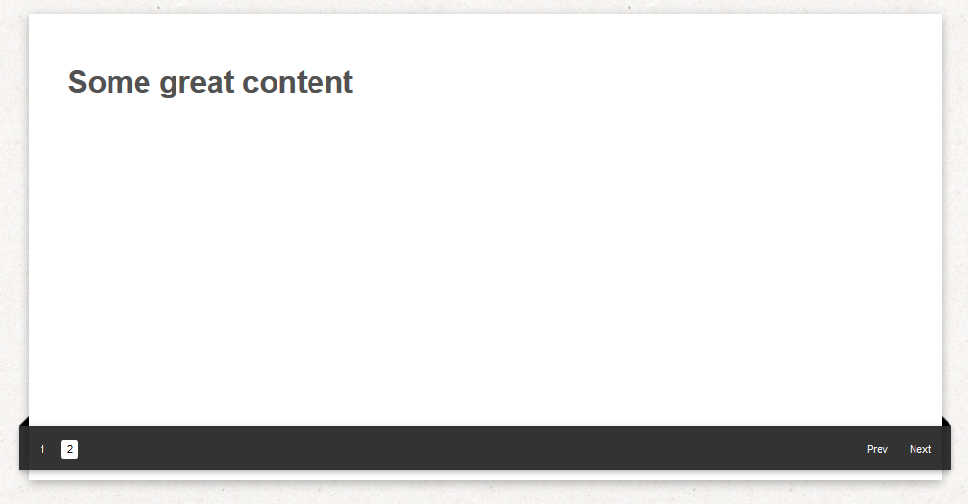
How to do it
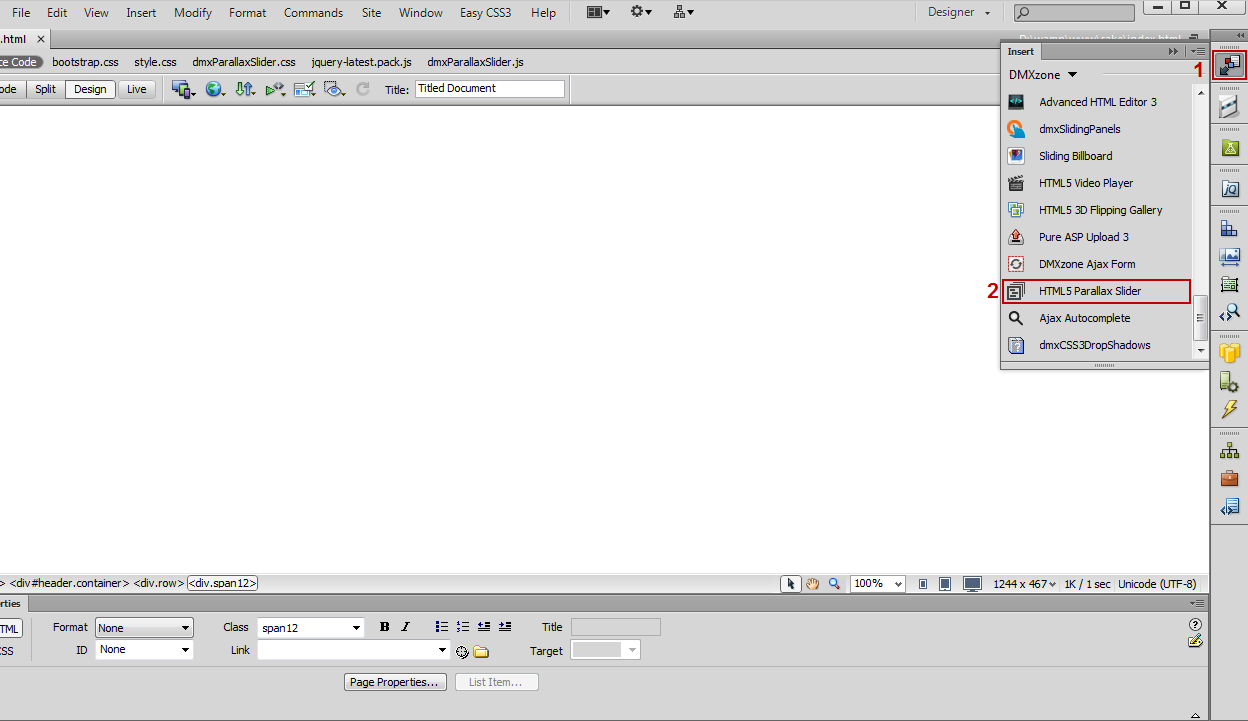
- We are going to control the HTML5 Video Player using the HTML5 Parallax Slider behaviors. Click the Insert button (1) to add the HTML5 Parallax Slider (2) to your page.
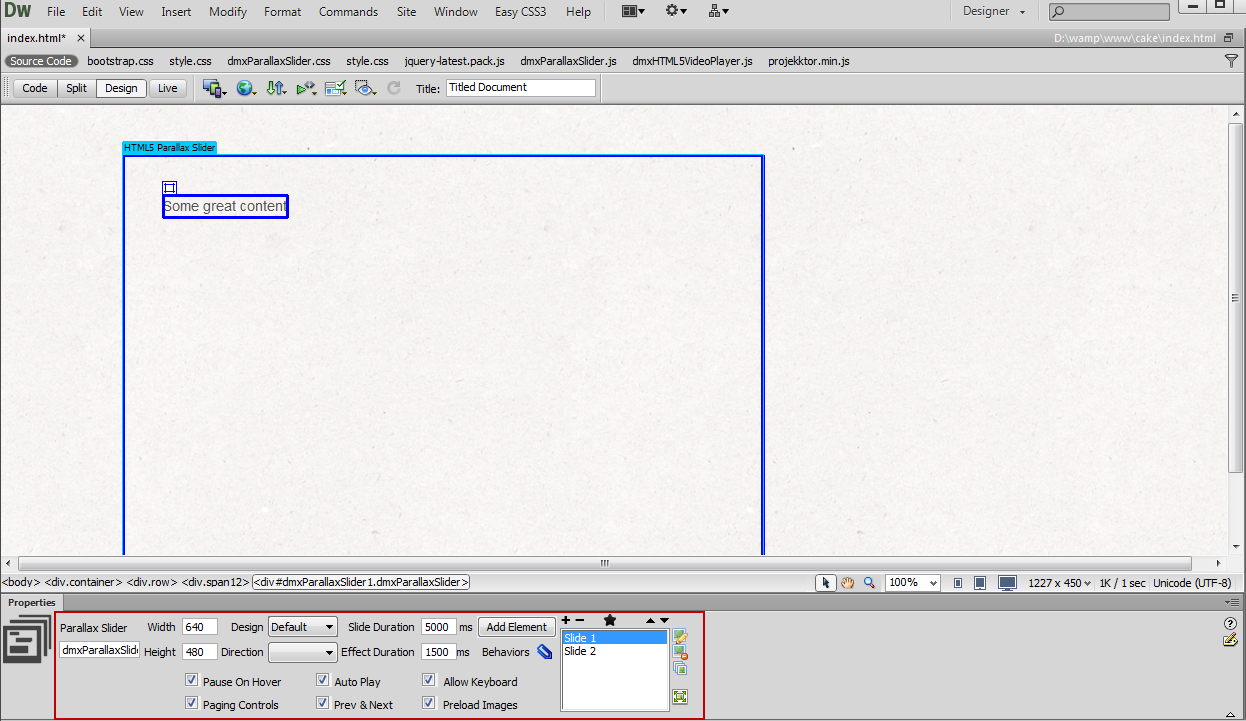
- Adjust the size and appearance of HTML5 Parallax Slider.
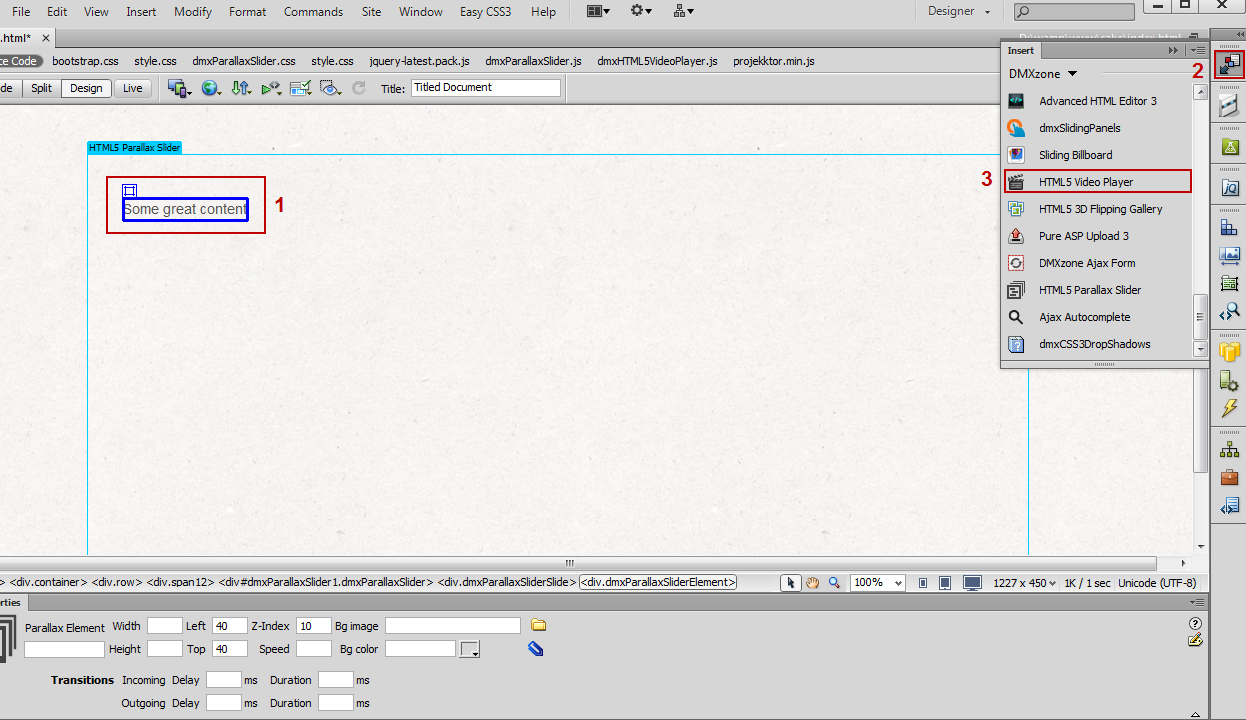
- We are going to insert the HTML5 Video Player into
the slide element. In order to do that, clear the default content (1) and from the insert menu (2), add the HTML5 Video Player (3).
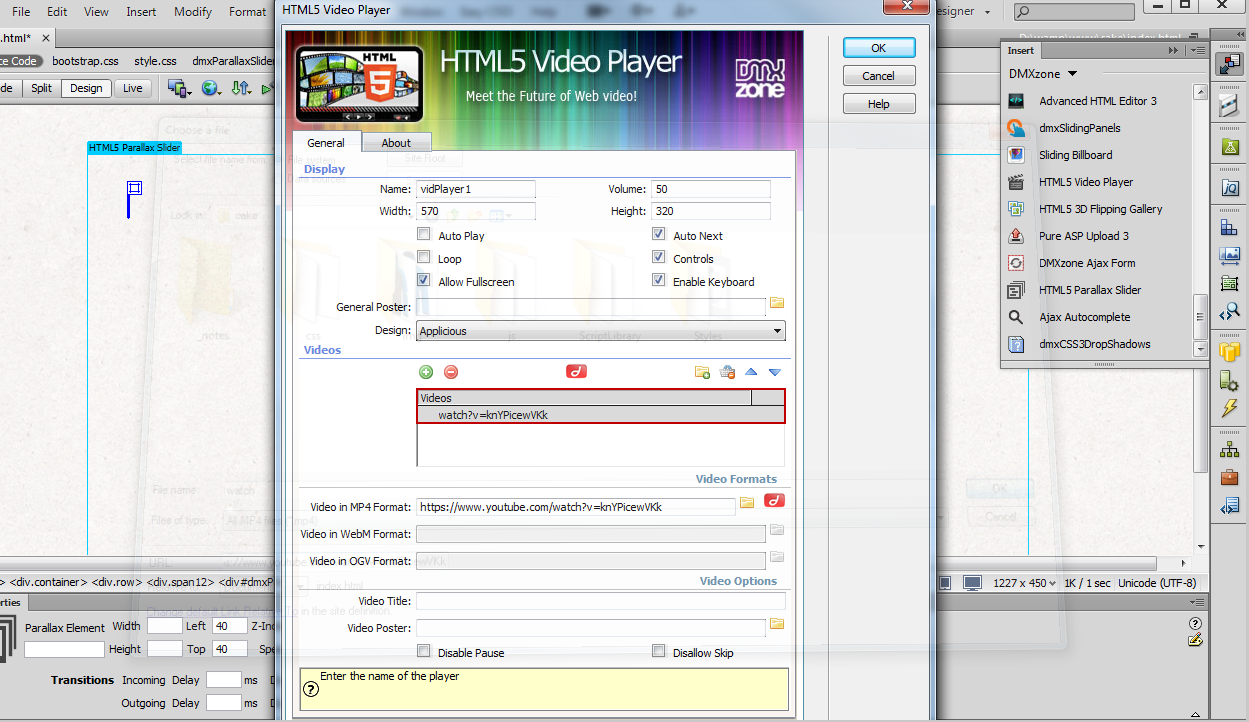
- Add your video and adjust the HTML5 Video Player appearance settings.
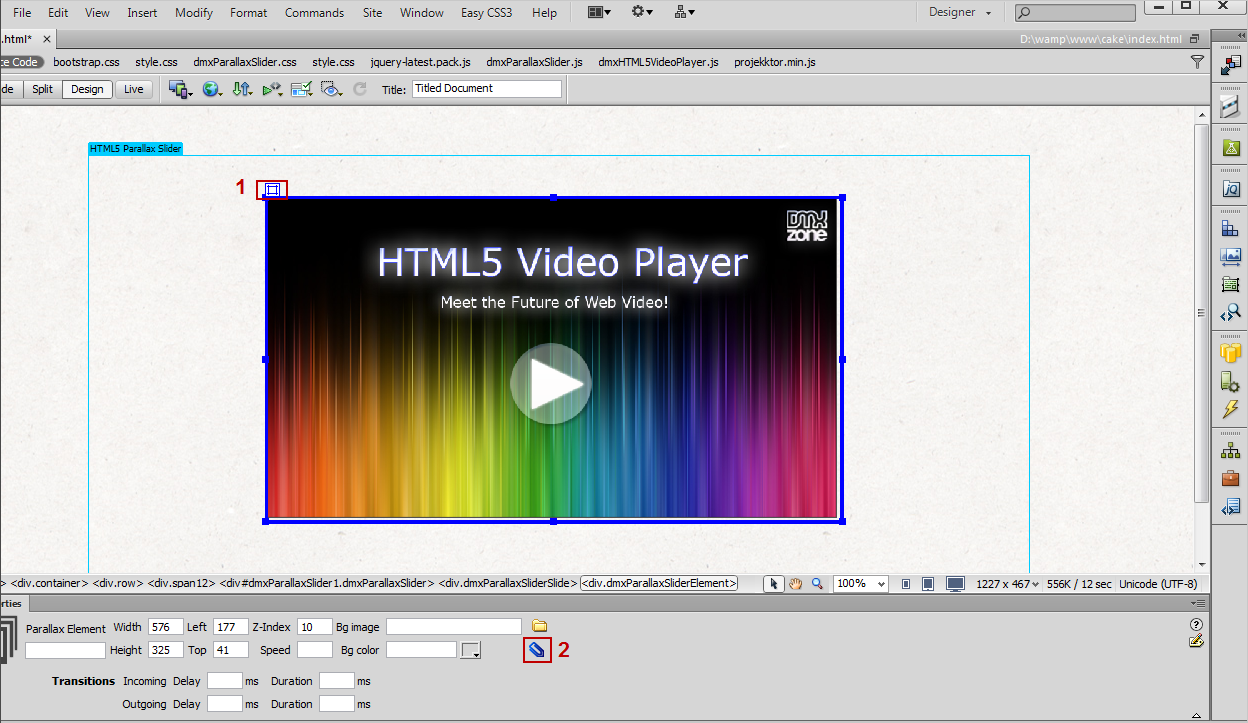
- Select the slide element that holds the HTML5 Video Player (1) and click the add/edit behaviors button (2).
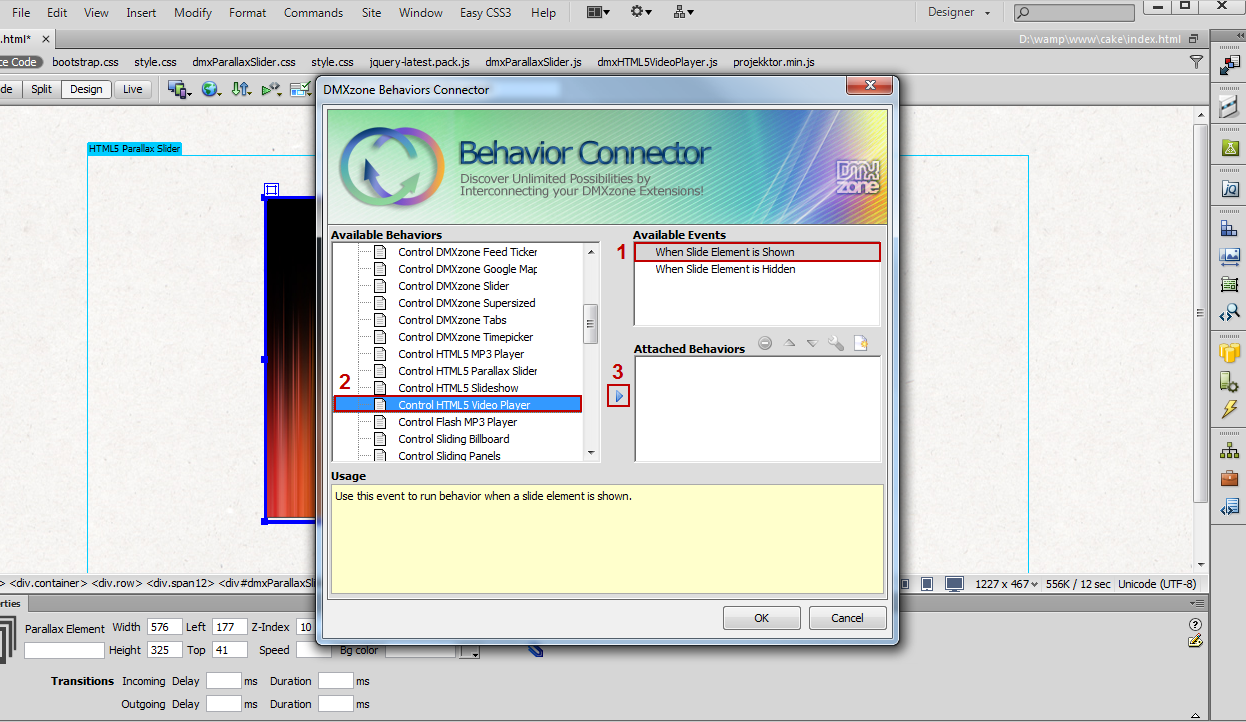
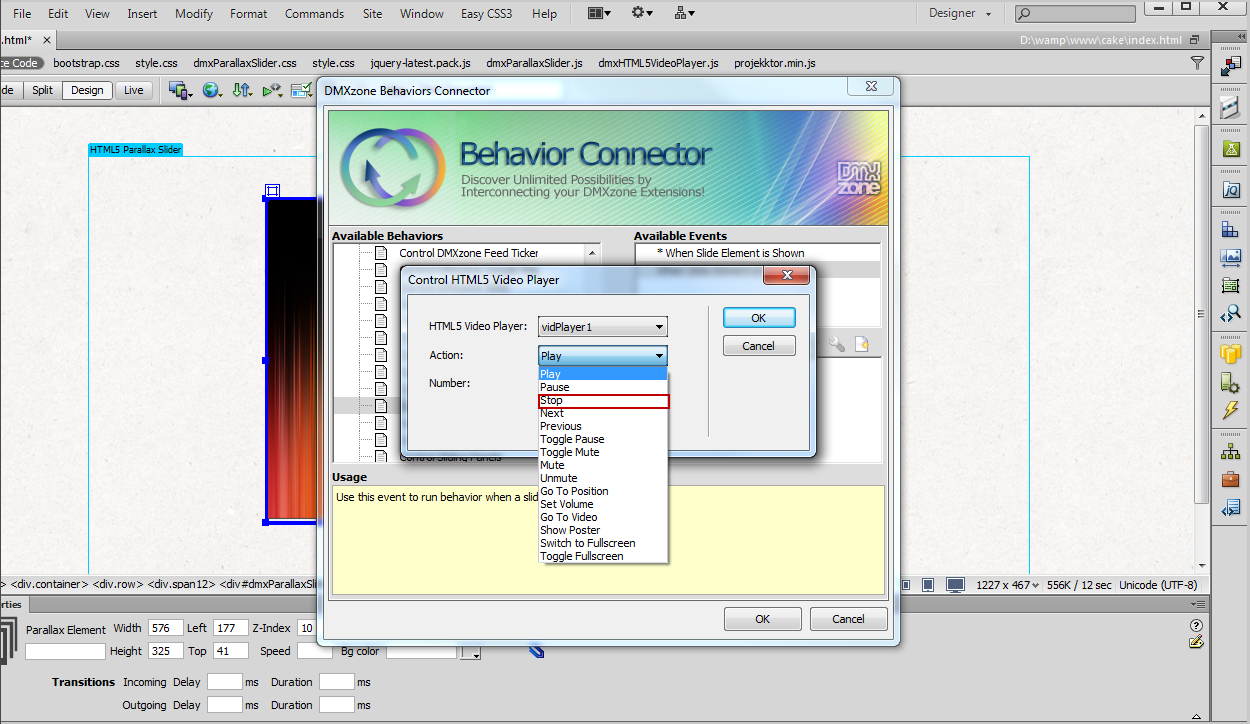
- In the DMXzone behaviors connector window, select when slide element is shown (1), and from the available DMXzone behaviors, choose control HTML5 Video Player (2) and add it (3).
- In the Control HTML5 Video Player window, select play from the action combo box and click OK.
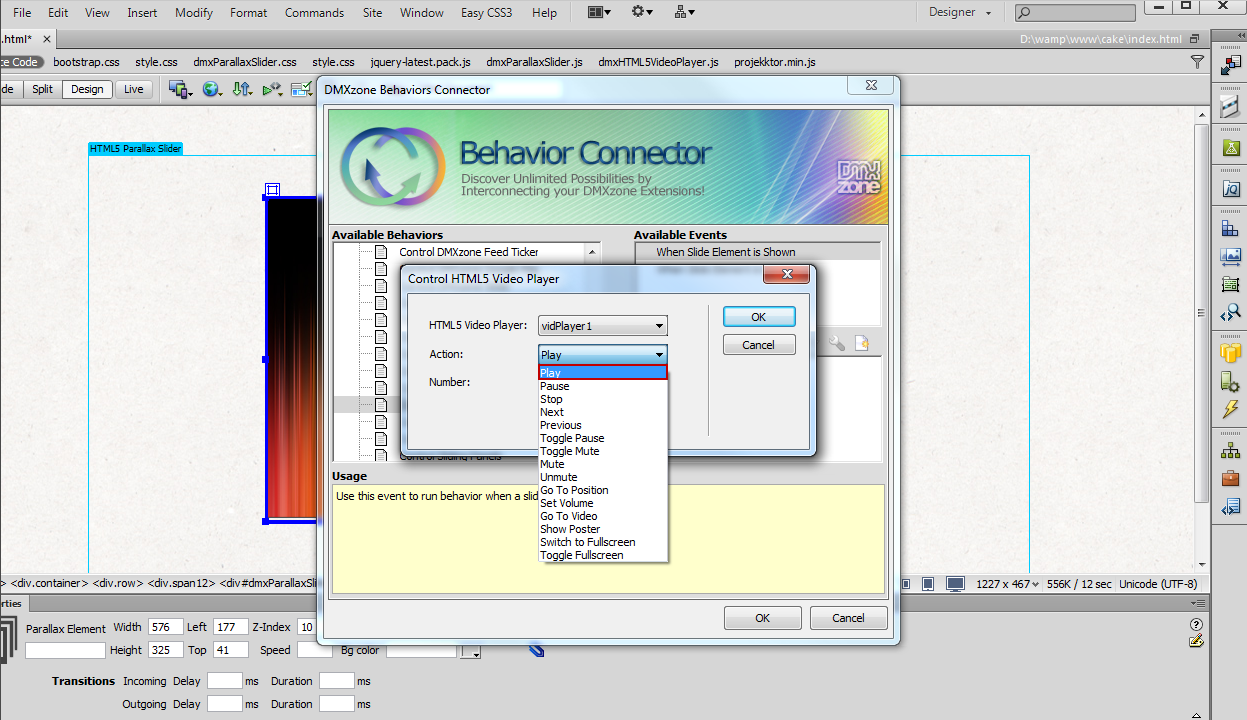
- Now, select when slide element is hidden event and do the same but choose the stop action.
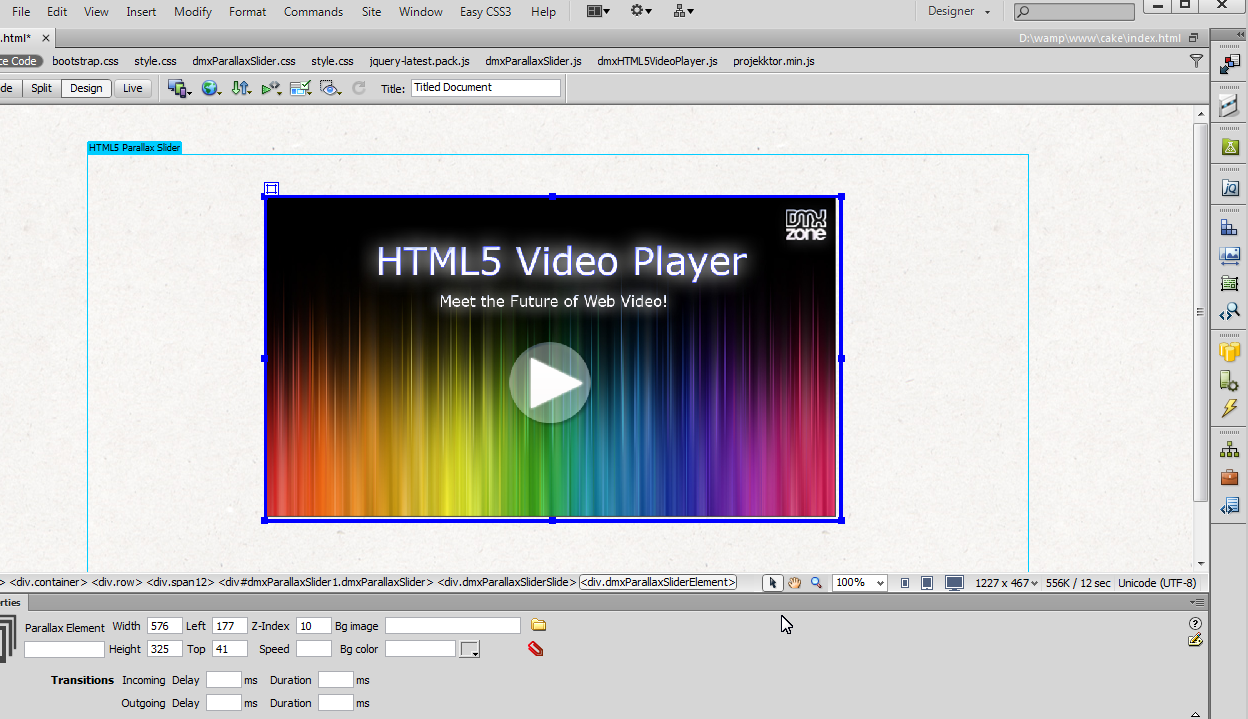
- Now you can save your work and preview the result in the browser.
Comments
Be the first to write a comment
You must me logged in to write a comment.