In this article you'll find all the needed information to work with HTML5 Data Bindings SEO PHP/ASP extension. It features video tutorials and a step by step explanation on how to insert the extension on your page as well as how to test the result as Google bot. If you experience any troubles, please refer your questions to the extension Forums or our Live support.
HTML5 Data Bindings SEO Manual
Search Engine Optimization for AJAX Apps


The Basics: Insert HTML5 Data Bindings SEO on a Page and Test it
In this tutorial we will show you how to insert HTML5 Data Bindings SEO PHP/ASP on your page and test it as Google bot.
*You can also check out the video.
How to do it
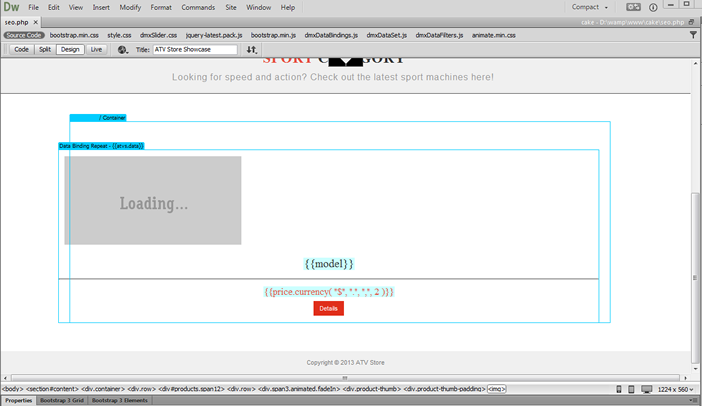
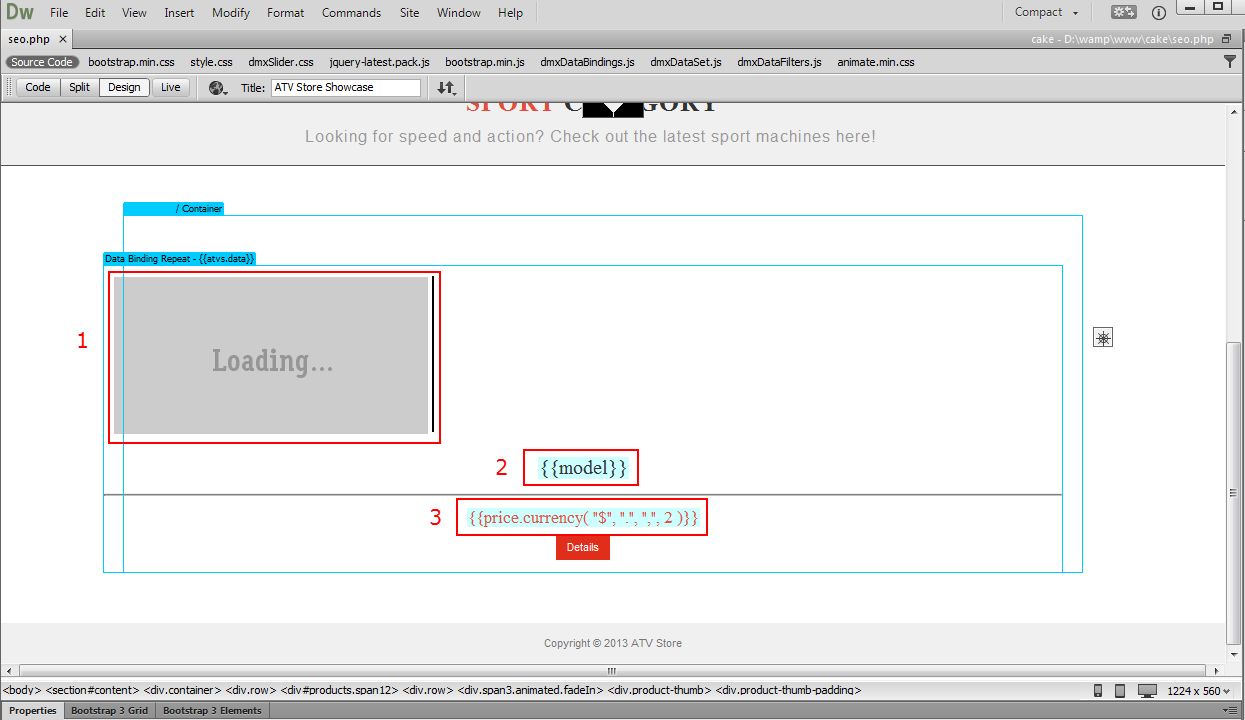
- We created a page using HTML5 Data Bindings and DMXzone Database Connector PHP/ASP. It contains a repeat region with an image (1), title (2) and price inside (3).
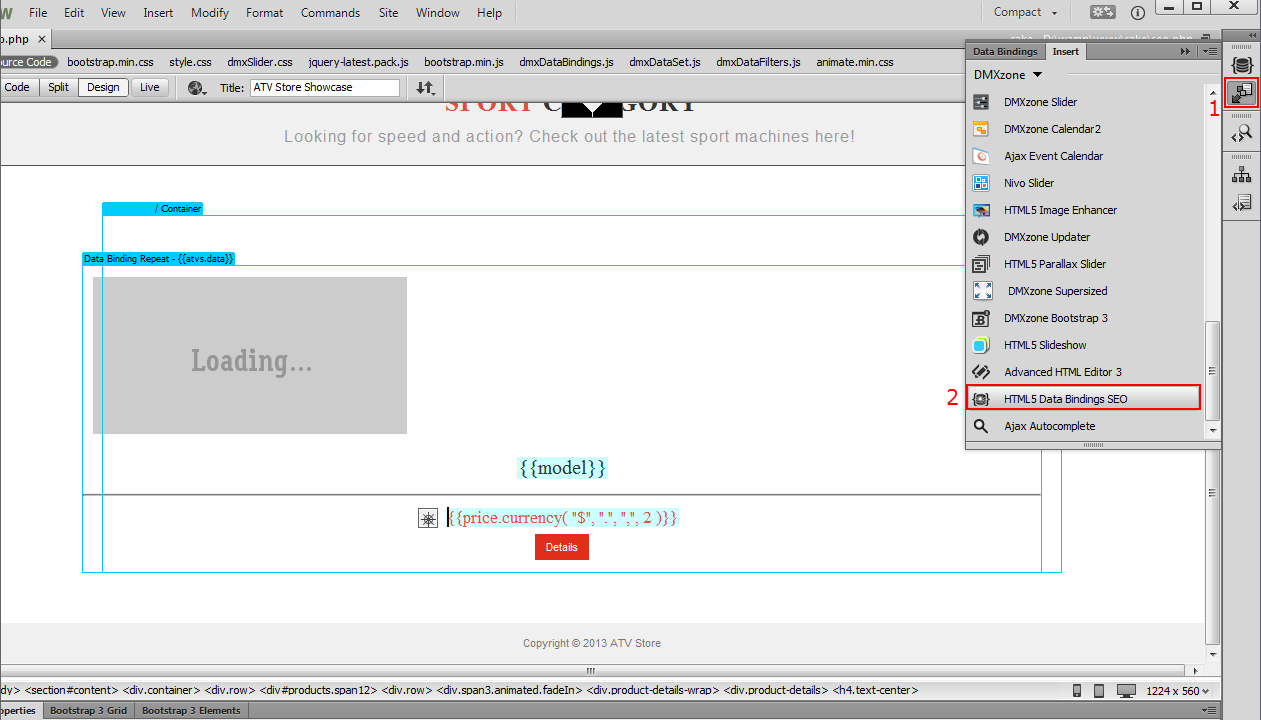
- For better SEO we need to show the content of the data
elements on our page to the Search Engines, instead of just
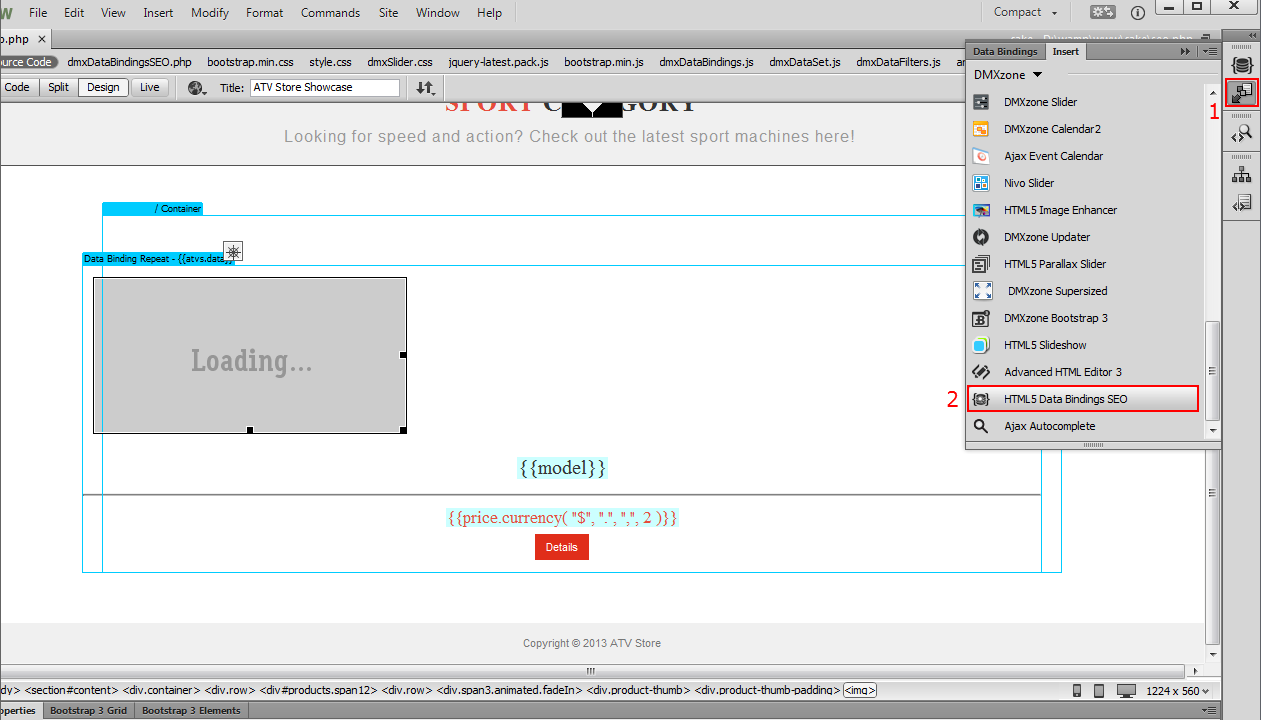
{{data_element}}. Click the insert button (1), select HTML5 Data
Bindings SEO (2) and the HTML5 Data Bindings SEO window will
open.
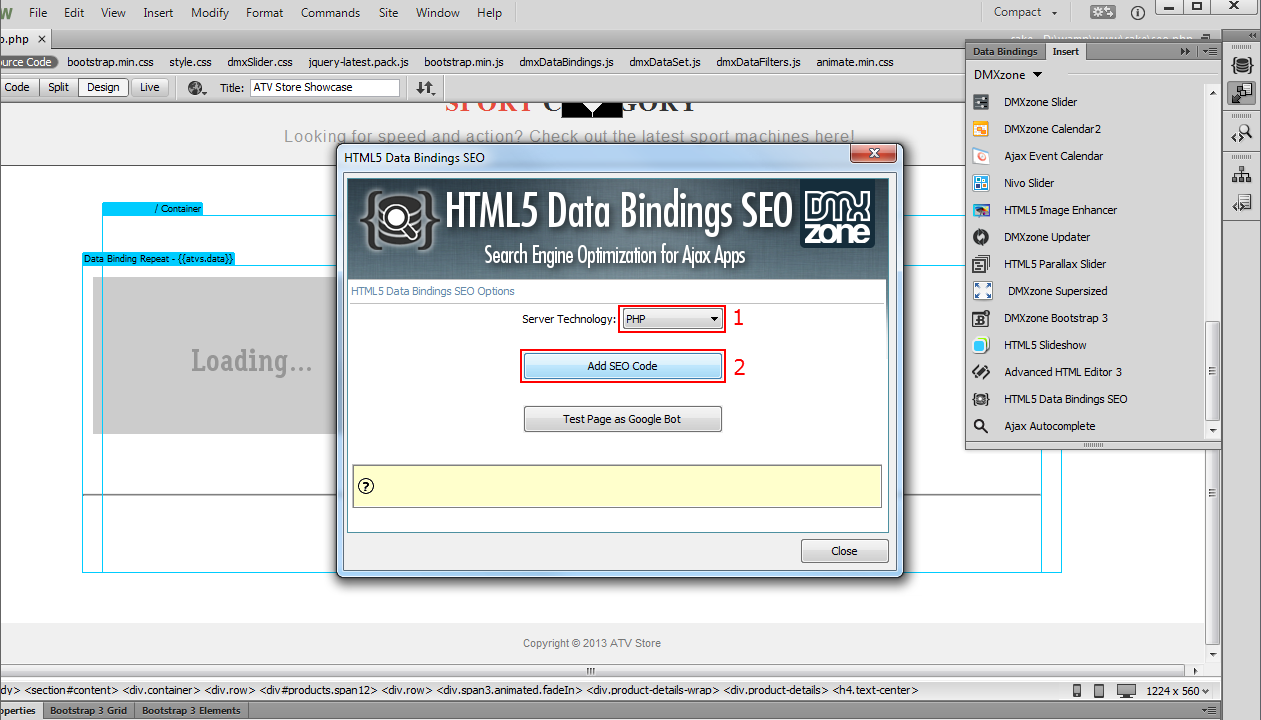
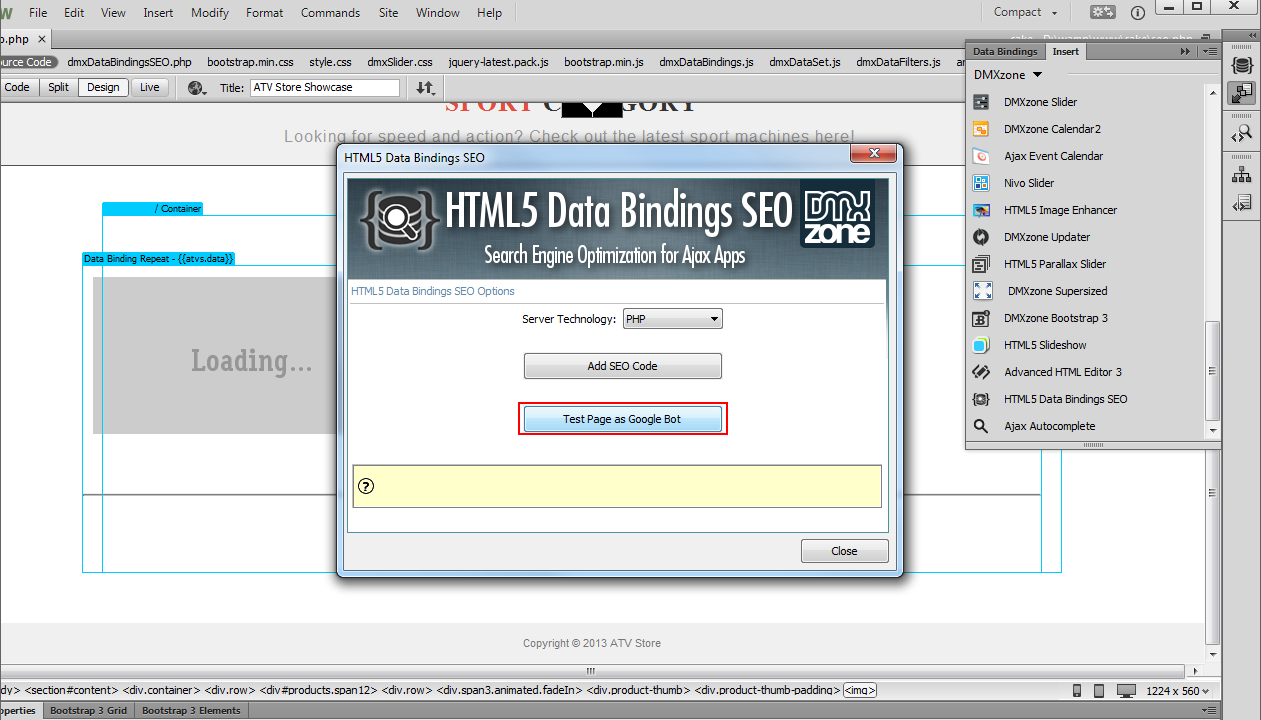
- In the HTML5 Data Bindings SEO window, select
your server technology (1), which is PHP in our tutorial and click
the add SEO code button (2).
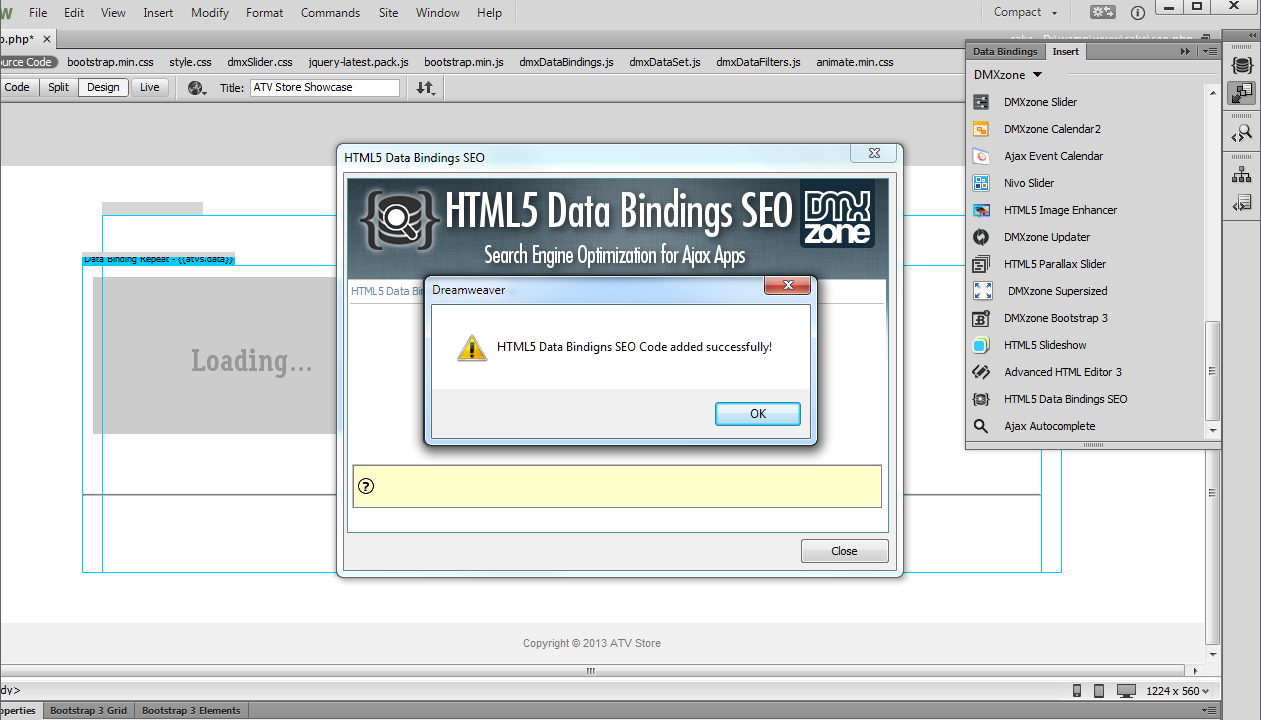
- A window pops up with a message: HTML5 Data Bindings SEO added successfully! Click the OK button.
- Now, we're going to test the page as Google Bot. Click the insert button (1) and select HTML5 Data Bindings SEO (2).
- In the HTML5 Data Bindings SEO window, click test page
as Google bot button.
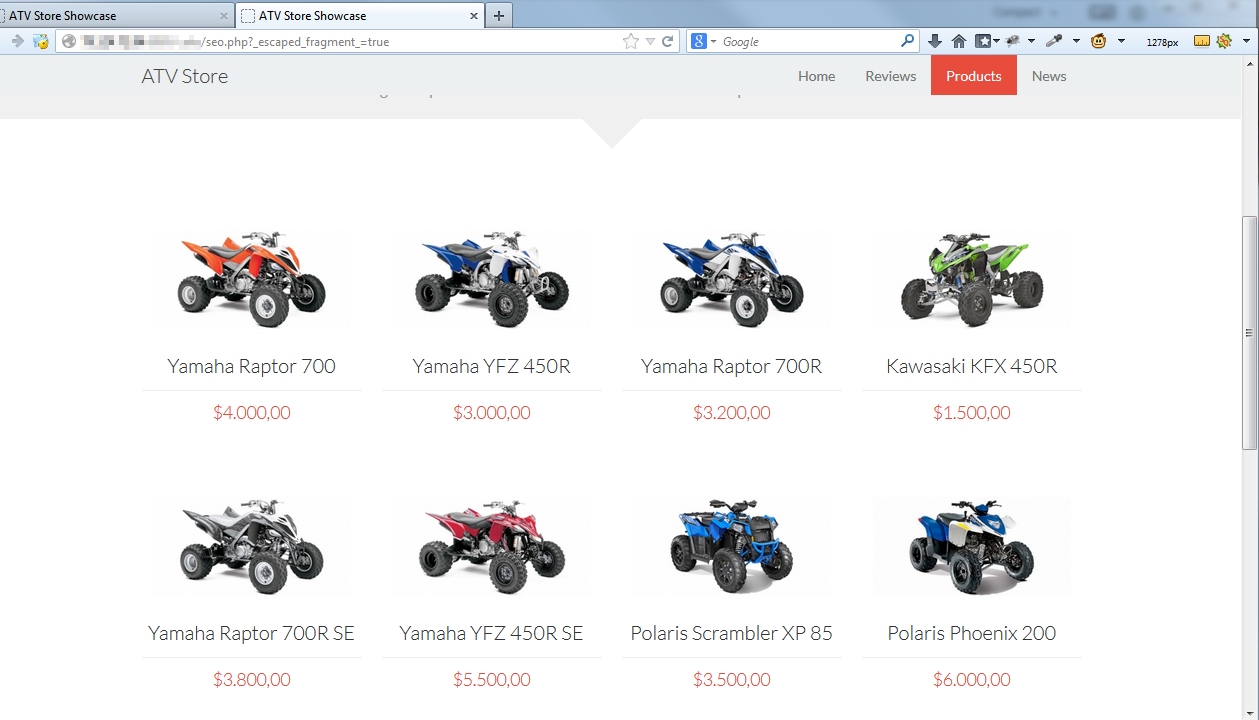
- In your browser you can see how the search engine bot sees your page. All the data is rendered on the page properly and the search engine bot sees it. That's how easy it is to add HTML5 Data Bindings SEO to your page and test it as Google bot.
Comments
Be the first to write a comment
You must me logged in to write a comment.