Advanced HTML Editor 3 Manual
Meet the future of Content Editing
In the Advanced HTML Editor 3 manual you will find detailed information about all the features available in this extension, along with some useful tutorials, videos and references. If you still experience any troubles working with the editor, please check Advanced HTML Editor 3 product page for additional information or contact our Live Support.


Tutorial: Using Advanced HTML Editor 3 with Update Record Behavior
In this tutorial we will show you how to use Advanced HTML Editor 3 with default Dreamweaver Update Record Behavior in order to update database records on submit.
*You can also check out the video.
How to do it
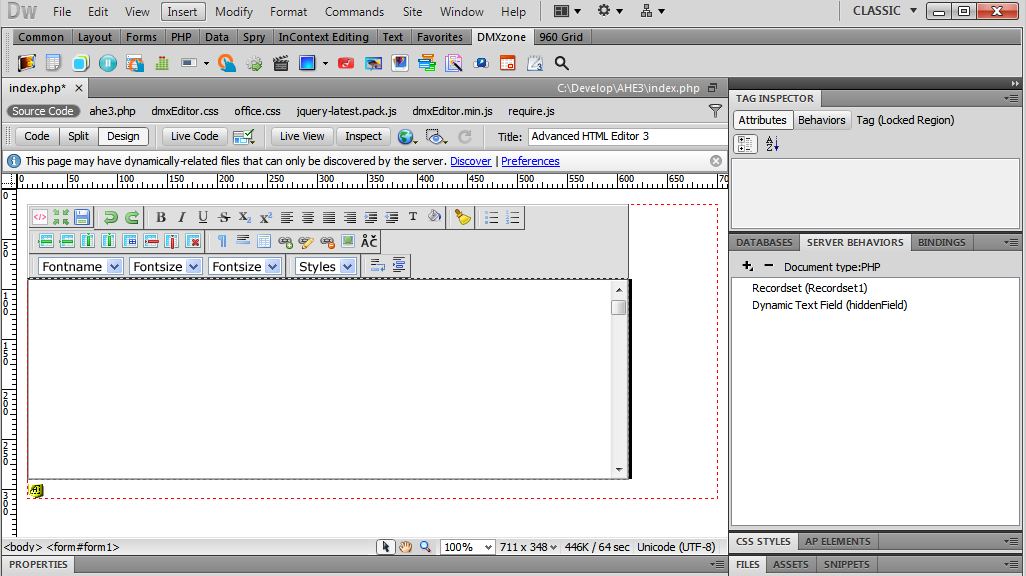
- We've already inserted Advanced HTML Editor 3 on our page, created a standard Dreamweaver Recordset and a Hidden field.
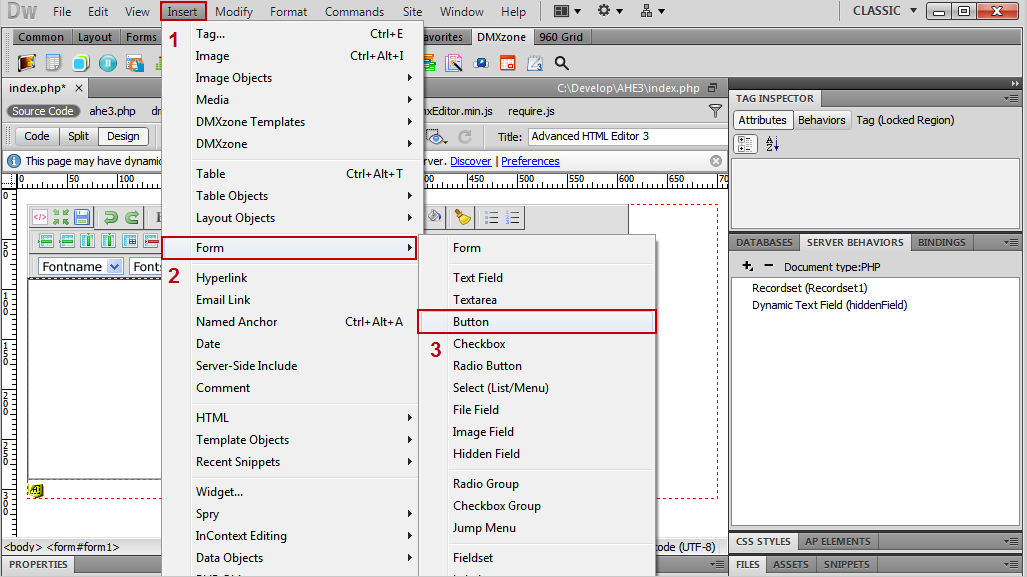
- Select the Insert Menu (1), than the Form menu item (2) and choose the Button menu item (3).
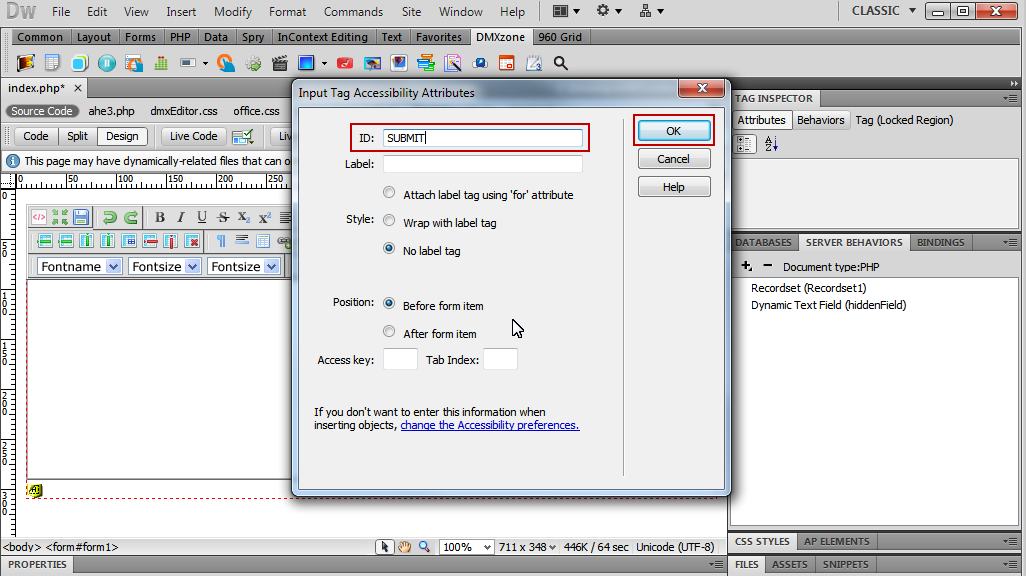
- Once the Input Tag Accessibility Attributes window opens, add an ID for the subimit button, and Click OK.
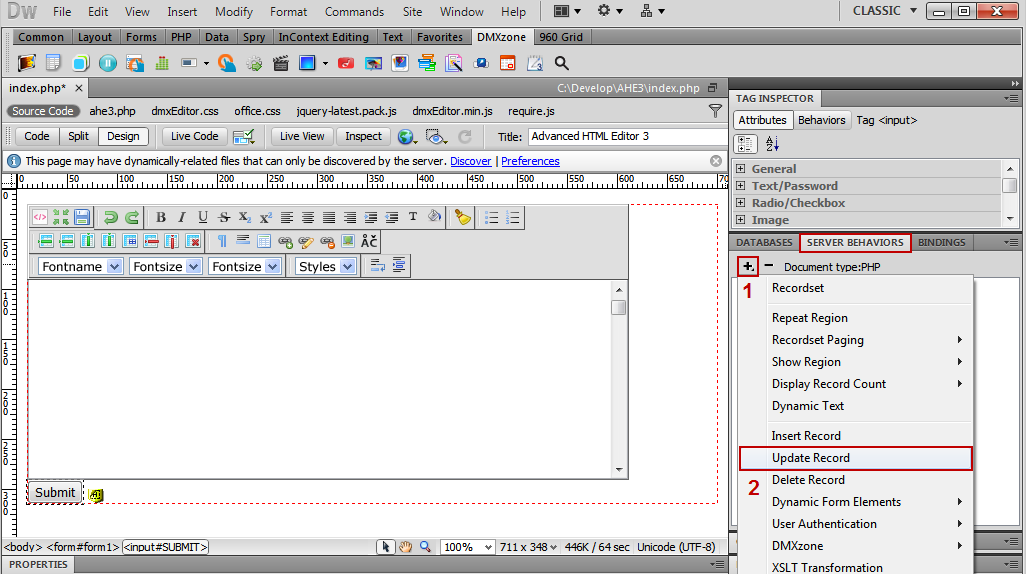
- Our form that contains the Advanced HTML Editor 3 and the submit button is ready. Now we're going to set up the Update
Record Behavior. Click the Add item button under Server
Behaviors tab (1) and select the Update Record menu item
(2).
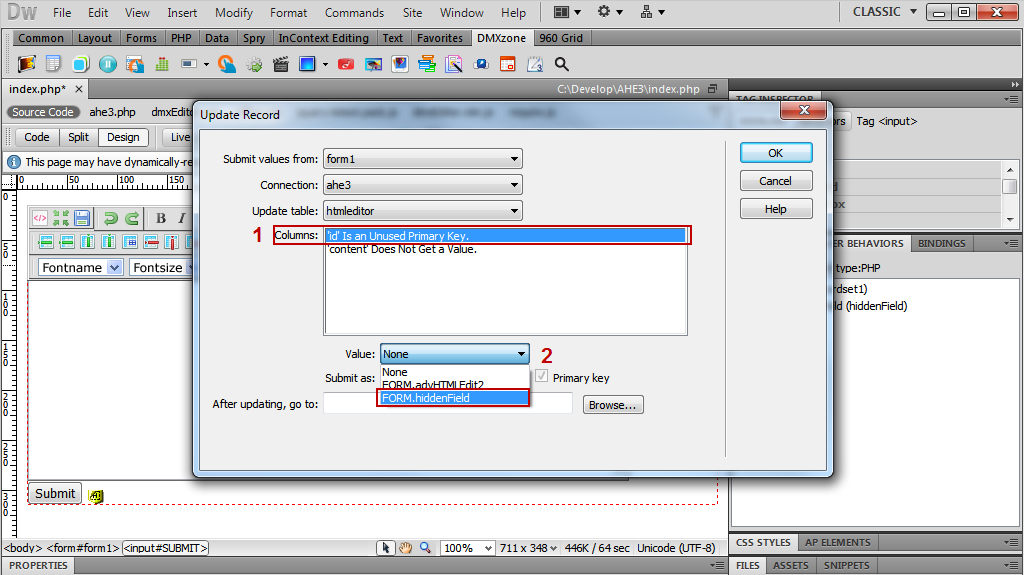
- The Update Record window opens. Choose a value for the 'id' column (1) and select the hidden field that was inserted earlier: FORM.hiddenField (2).
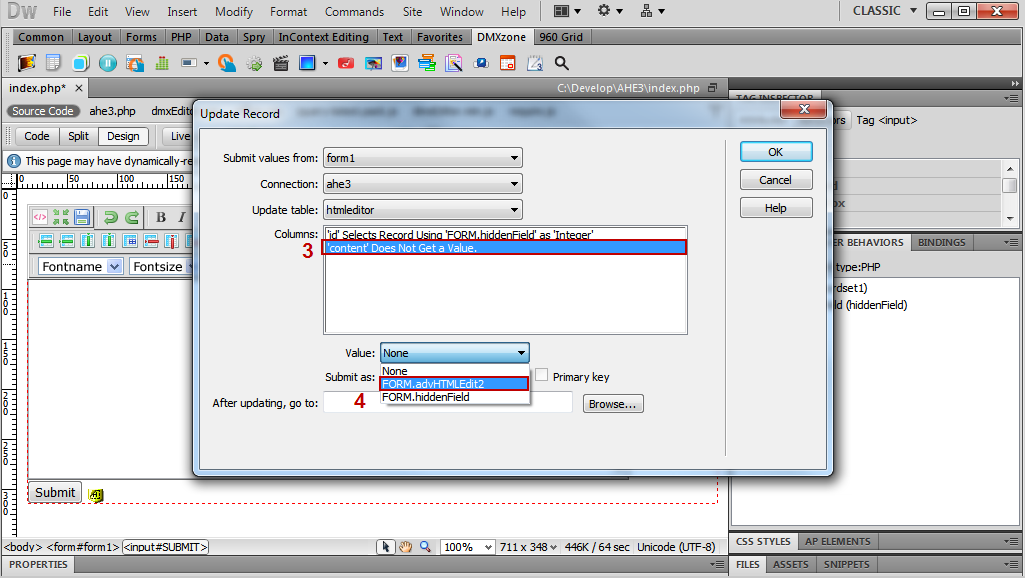
- Select the 'content' column (3) and select a value for the 'content' column: FORM.advHTMLEdit2 item (4). You can also set a page to be redirected to after updating.
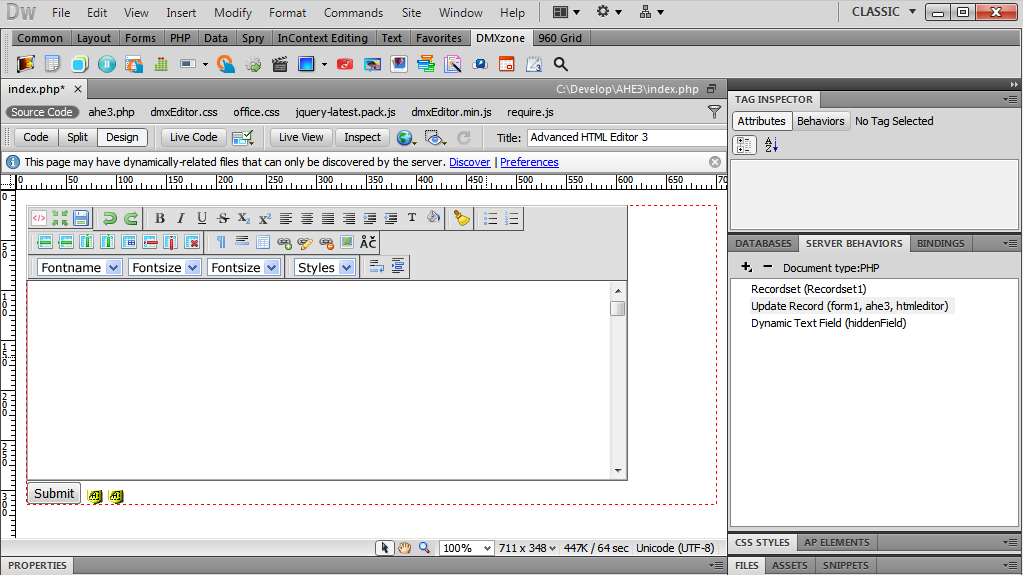
- This is how easily you can use Advanced HTML Editor 3 with standard Dreamweaver Update Record Behavior in order to update database records on submit.

Comments
Can"t apply using Dreamweaver 2021 on Mac Big Sur
You must me logged in to write a comment.