Online Page Editor Add-on Manual
Detailed information about the usage of Online Page Editor Add-on
This is the Online Page Editor Add-on manual page, where you can find useful information about how to work with the Add-on, set the security settings and how to connect it to Advanced HTML Editor 3.
This Add-on works only with Advanced HTML Editor 3


Tutorial: Basic Usage of Online Editor Add-on with FTP Saving
In this tutorial we will show you how to insert the Online
Page Editor Add-on on your page with FTP saving.
*You can also check out the video.
How to do it
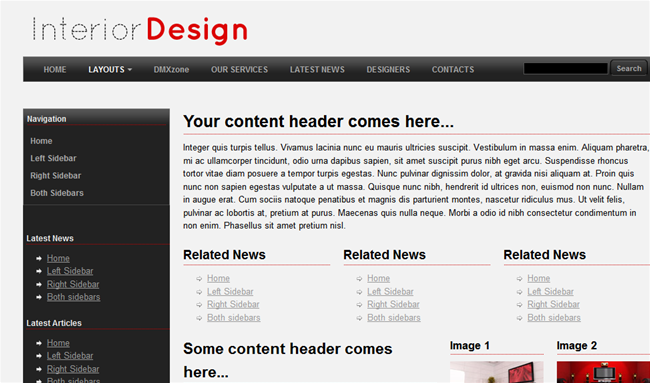
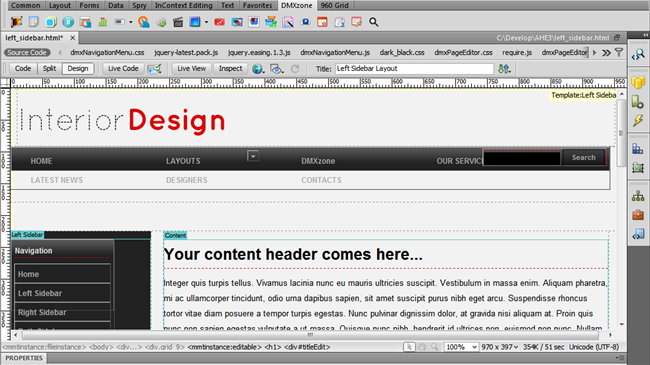
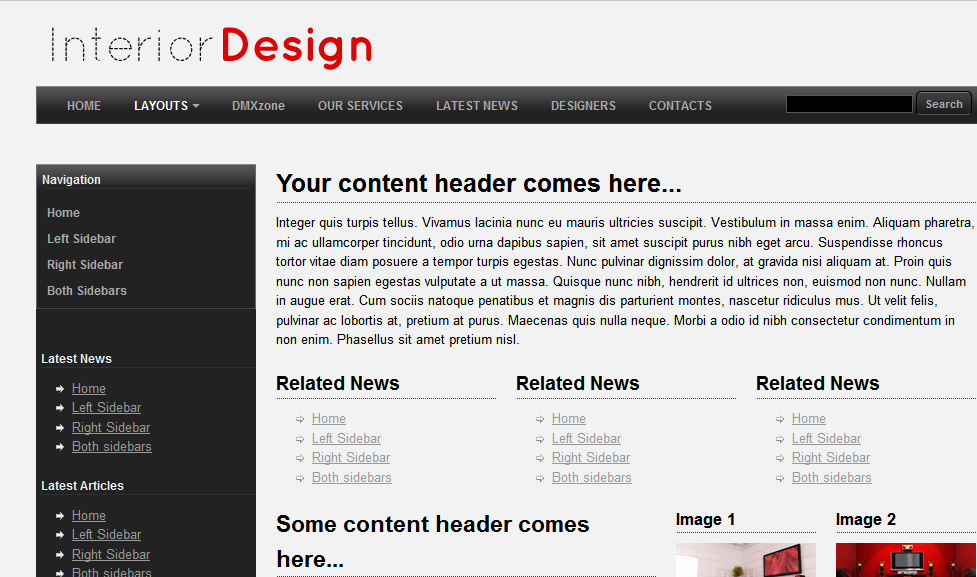
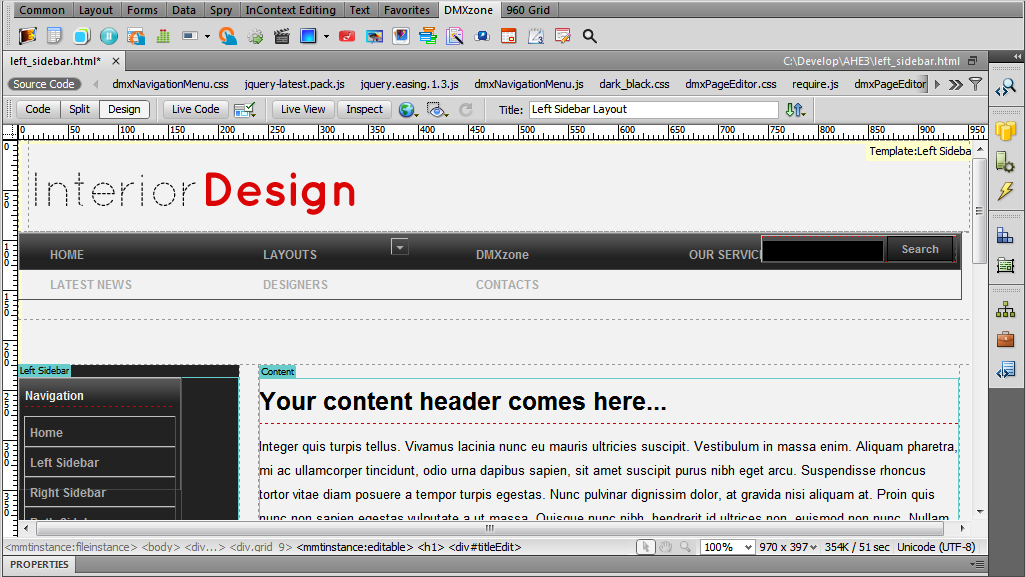
- For this tutorial we'll use the Interior Design
Template, available for free in our Templates section.
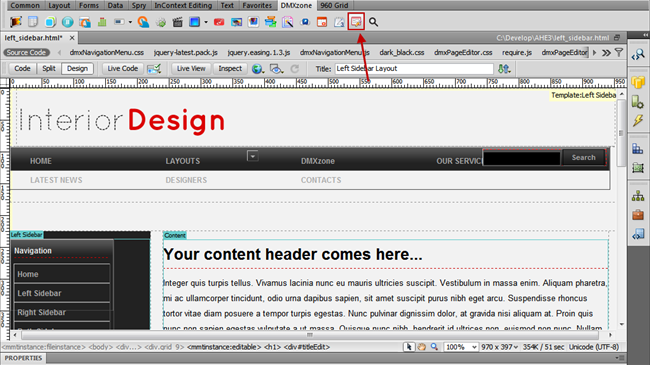
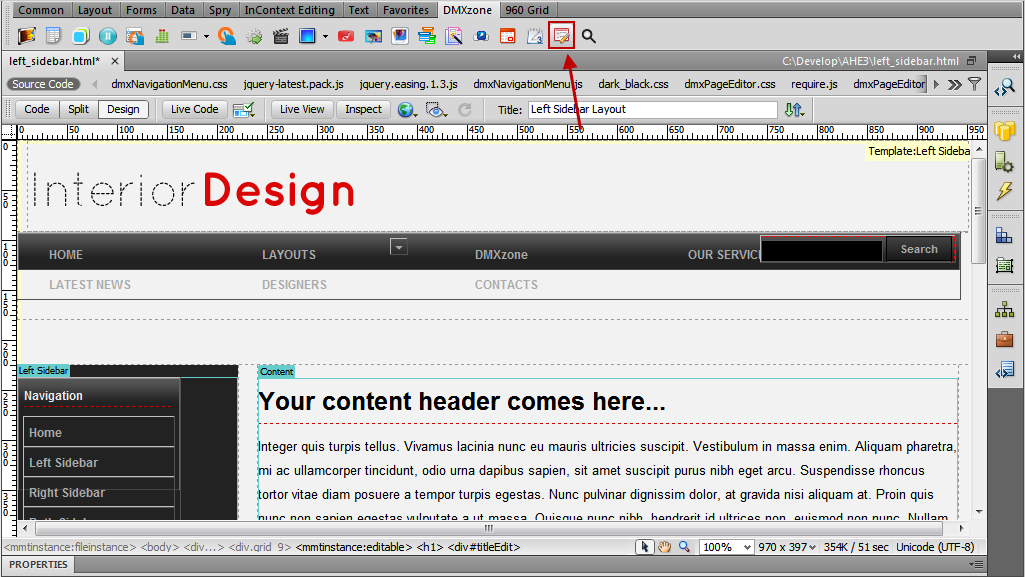
- Click on the Online Page Editor Add-on icon in
order to bring up the dialog.
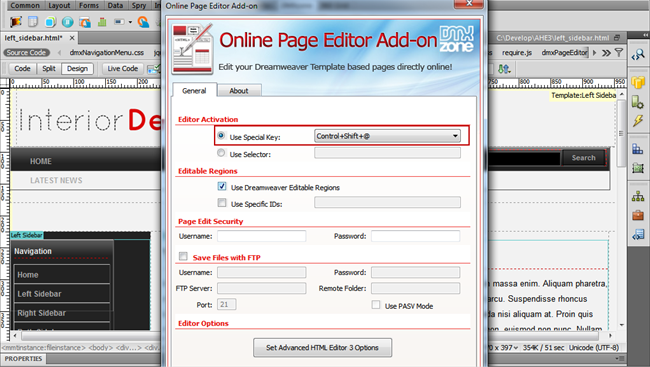
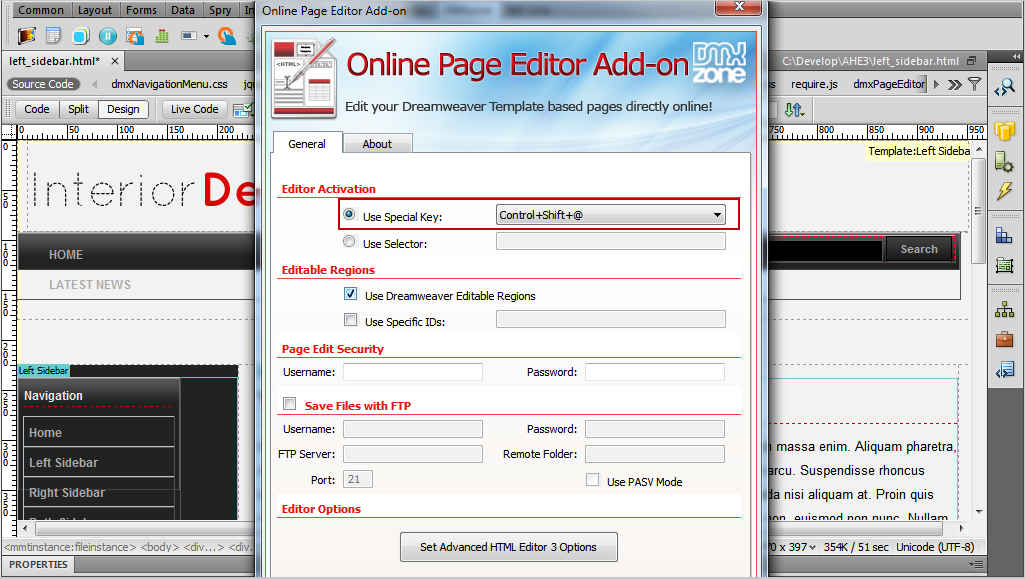
- Once the Online Page Editor Add-on window opens, we
can set it up. For this tutorial we will use the default Special Key combination that will enable the editing mode in the browser.
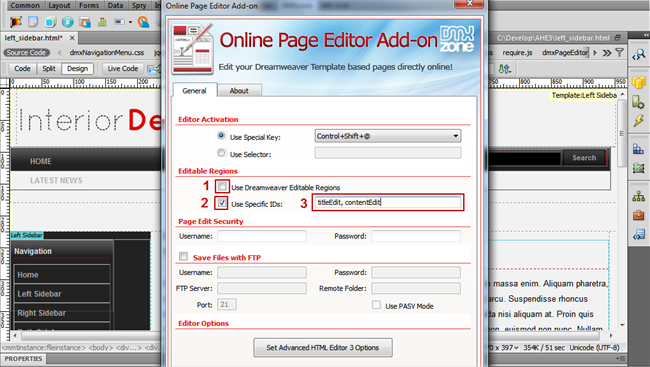
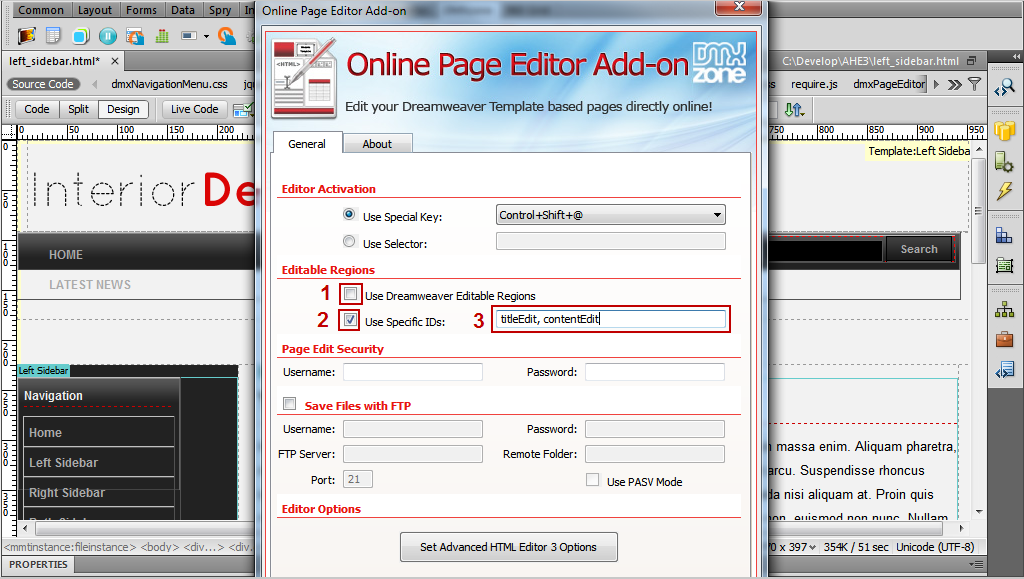
- Uncheck (1) the Use Dreamweaver Editable Regions check box and select (2) the Use Specific IDs: check
box. Now, we will add the IDs (3) of the div containers
that we want to be editable.
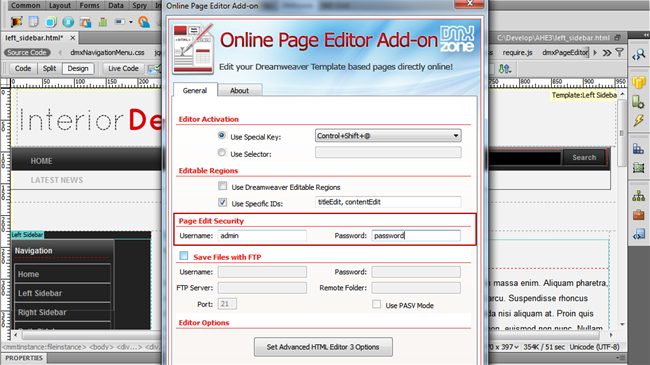
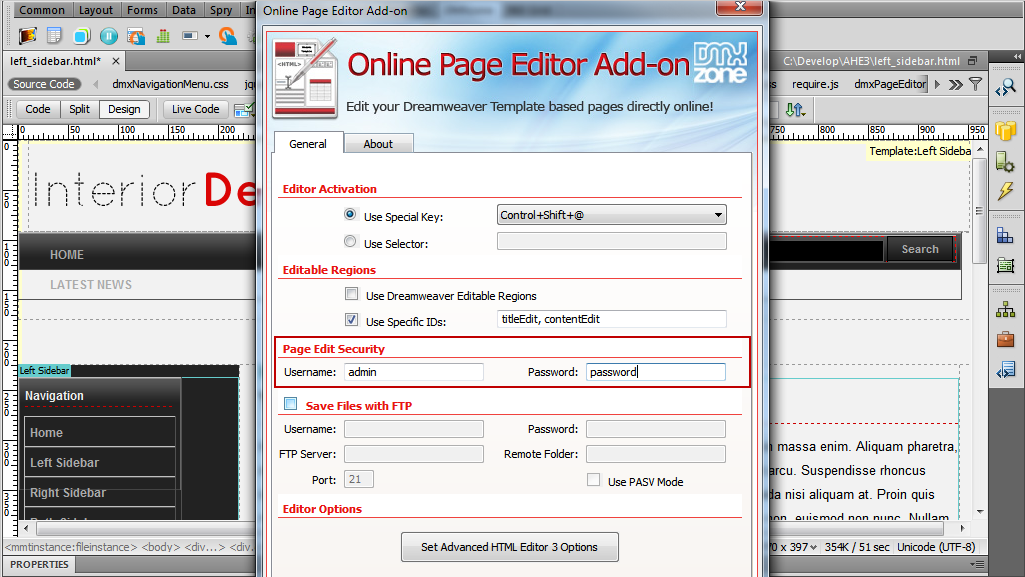
- Setting up the Page Edit Security settings is
really easy. All we do is enter a username and a password, which
will enable the page editing in the browser.
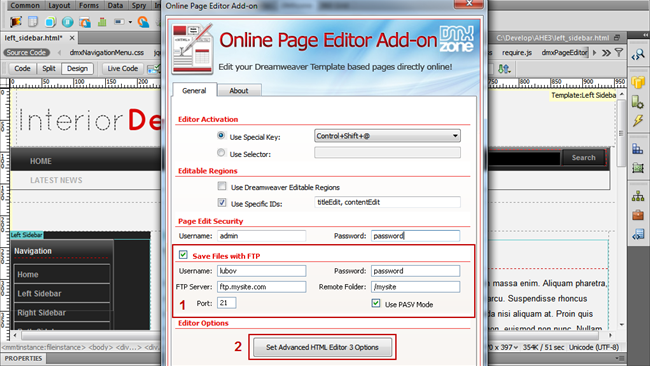
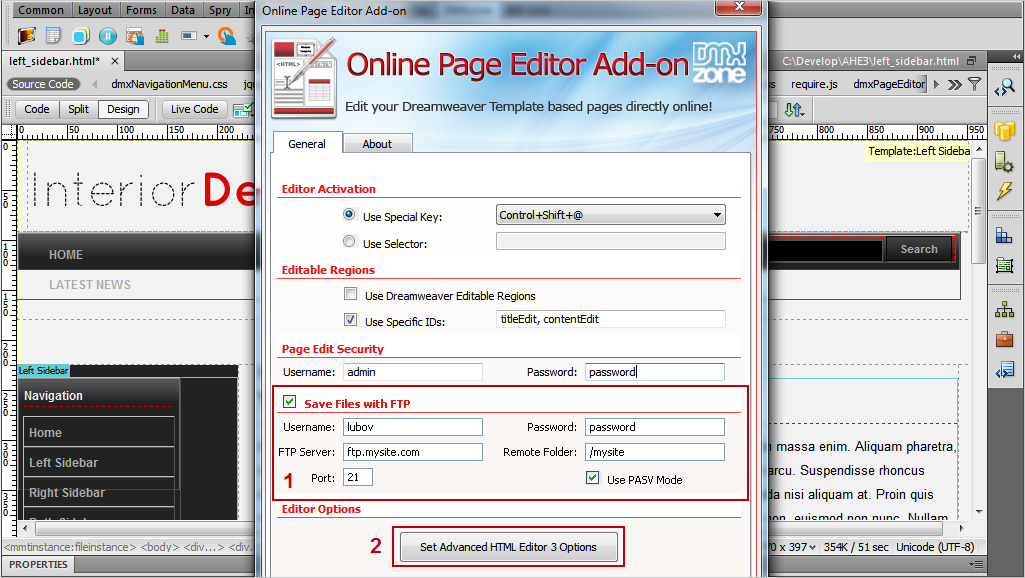
- Check the Save Files with FTP (1) if you want to
enable the usage of FTP connection so that a copy of the edited files is
saved automatically. Now, we will set the Advanced HTMl Editor 3
options (2).
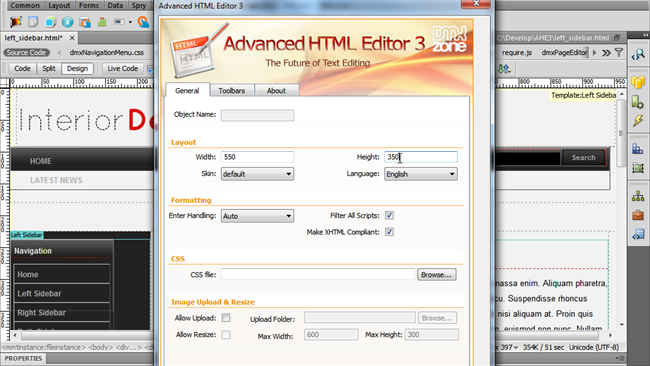
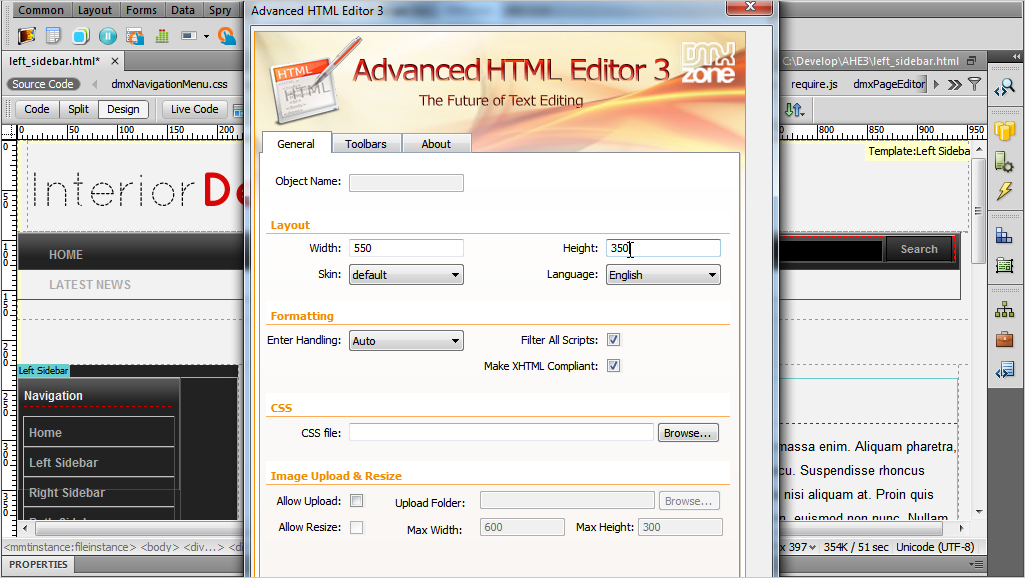
- Here, you can set up the editor appearance with the many
options available. When you're done click OK. This is how easily
you can insert the Online Page Editor Add-on on your page.
Comments
Be the first to write a comment
You must me logged in to write a comment.