In this article you'll find a detailed information about the DMXzone Google Maps Dremaweaver extension. We covered some basic and advanced tutorials, as well as 4 videos and an overview of the features packed in the extension.
DMXzone Google Maps Manual
Empower full featured Google Maps in Dreamweaver!


Advanced: Creating Dynamic DMXzone Google Maps
In this tutorial we will show you how to use DMXzone Google Maps with dynamic data.
*You can also check out the video.

How to do it
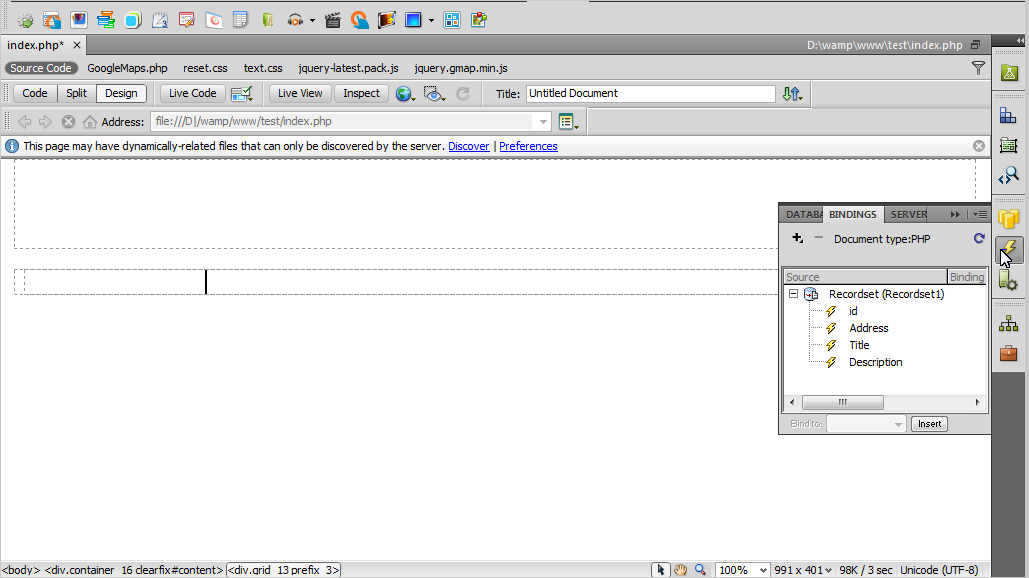
- We've created a database table with 5 records containing addresses, titles and description as well as a recordset.
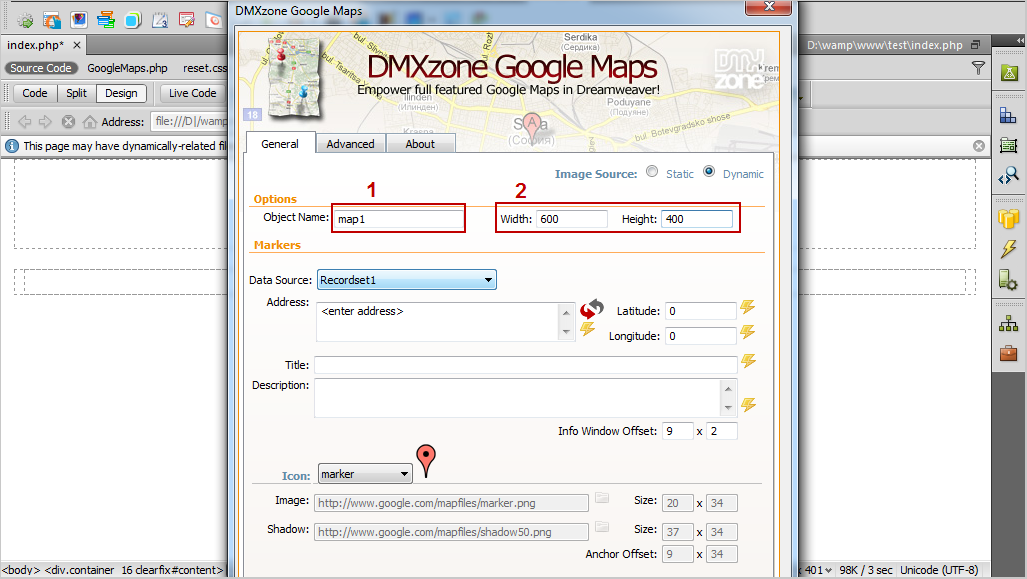
- Open the DMXzone Google Maps UI and select dynamic image source (1). Add a name for the map and choose width and height (2).
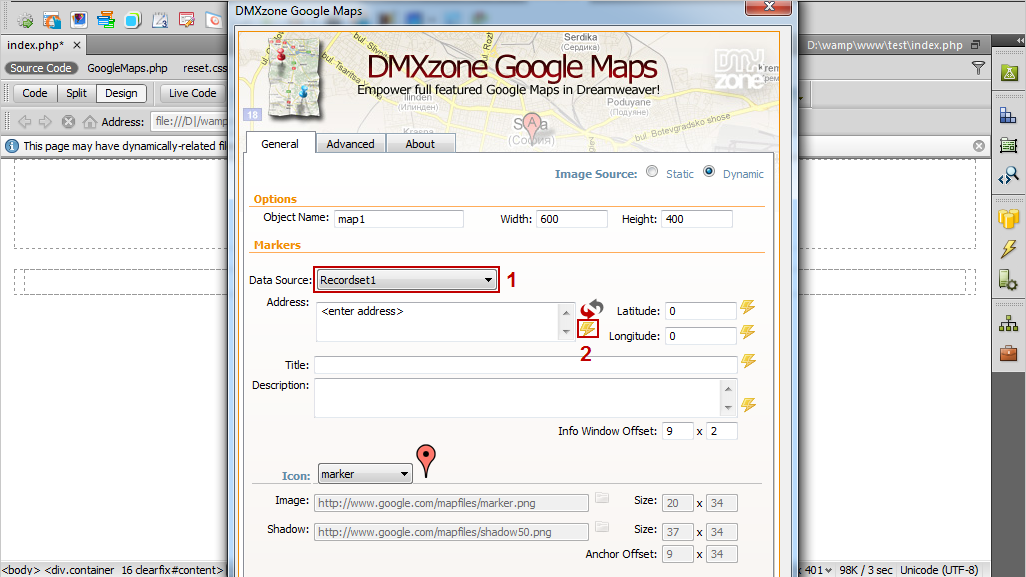
- Select the data source (1) and click to choose dynamic data button in order to choose the address binding from the recordset (2).
- From the Dynamic data window, select the address binding and click the OK button.
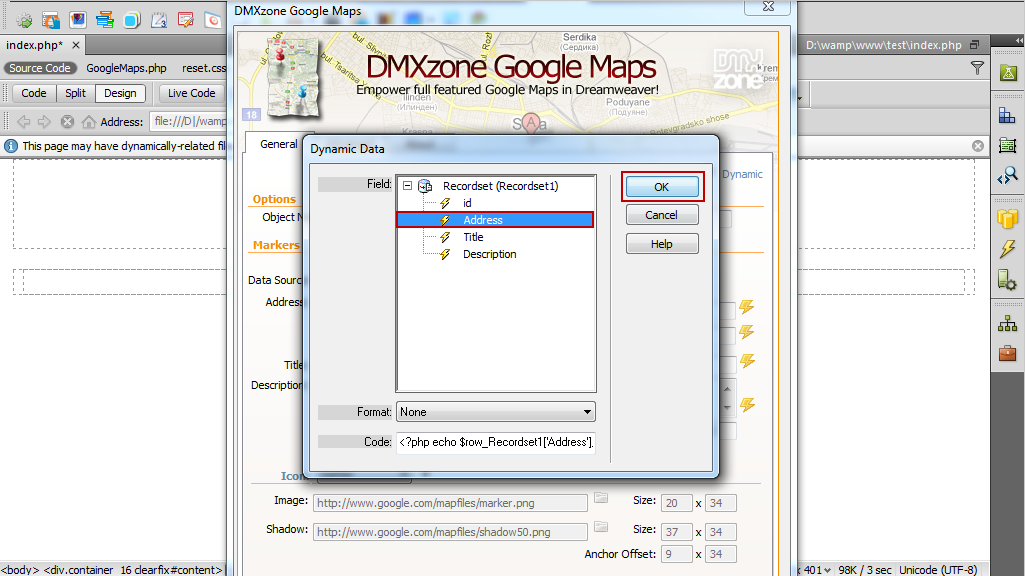
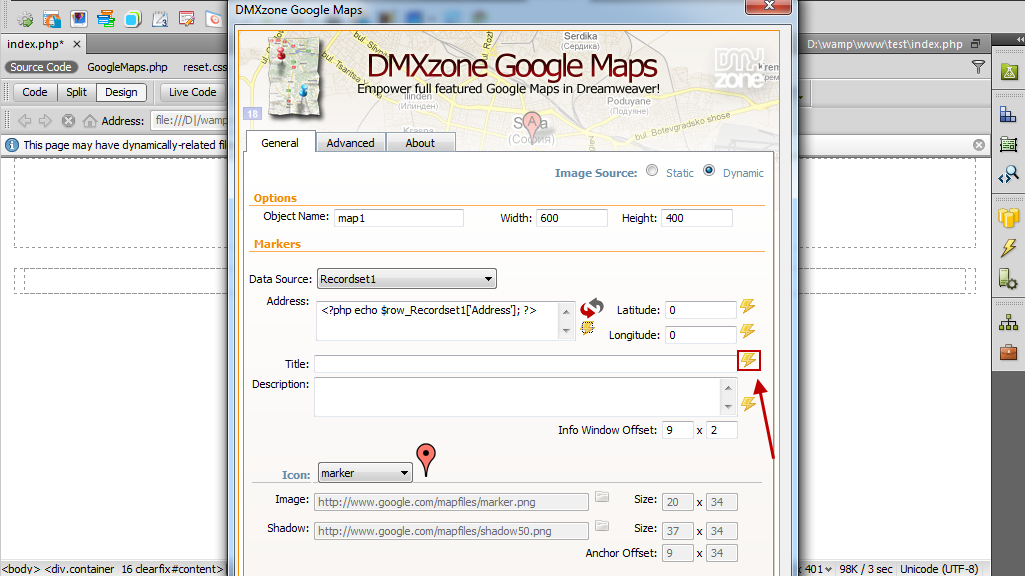
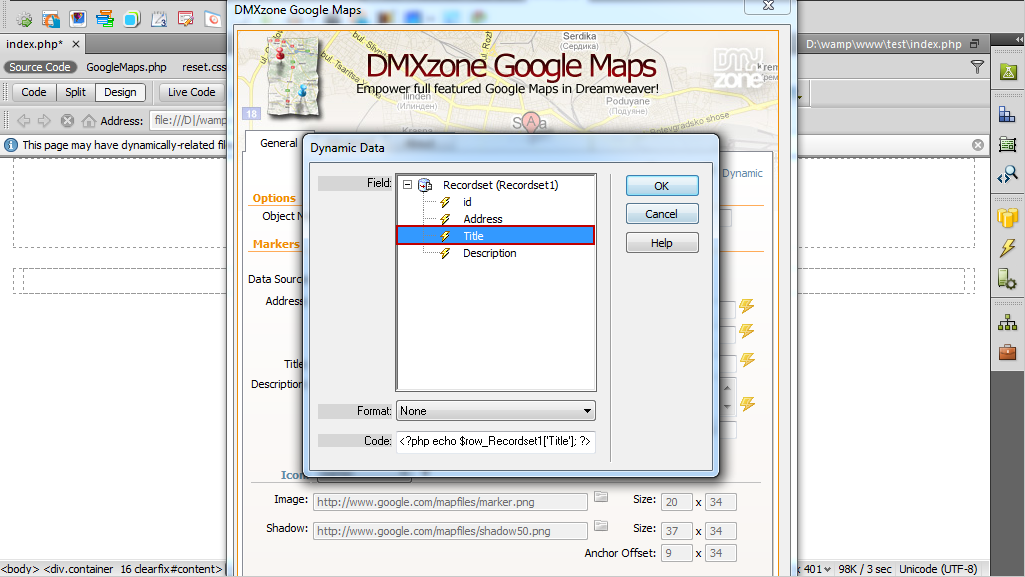
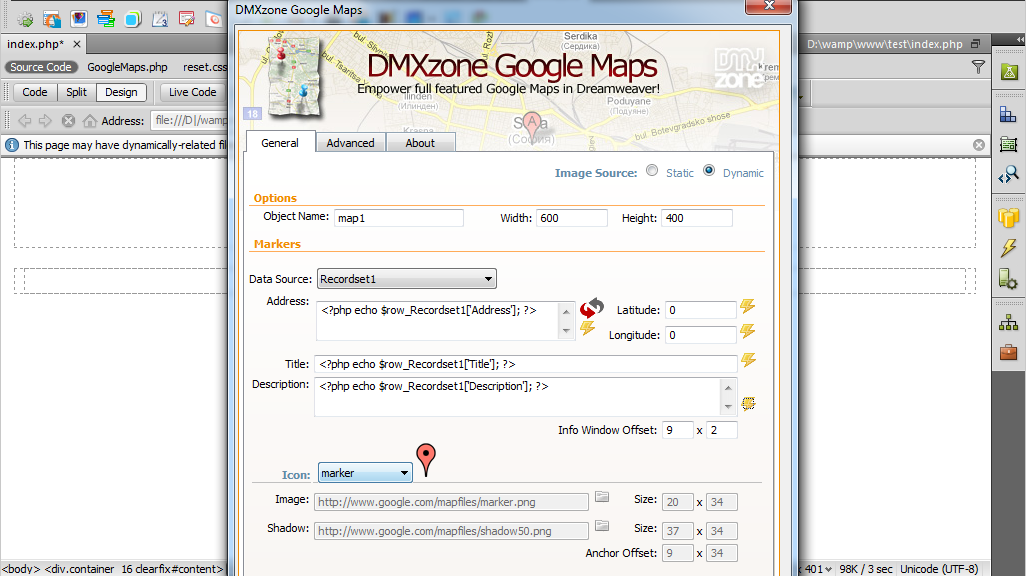
- Click the Choose Dynamic data for the title (1) and select the title binding from the list (2). We do the same for the description.
- When you're done, you can customize your Google Maps, click OK and preview the result in a browser.
Comments
Be the first to write a comment
You must me logged in to write a comment.