In this article you will find a detailed manual for the DMXzone Calendar 2 extensions. Everything from basic to advanced usage is covered with tutorials and videos. Also, we have included the features with screenshots for better preview.
DMXzone Calendar 2 Manual
A detailed information about the DMXzone Calendar 2 extension


Advanced: Using Dynamic Conditional Date Formatting
In this tutorial we will show you how to use the dynamic conditional date formatting in order to retrieve dates with special meanings from a database.
*You can also check out the video.
How to do it
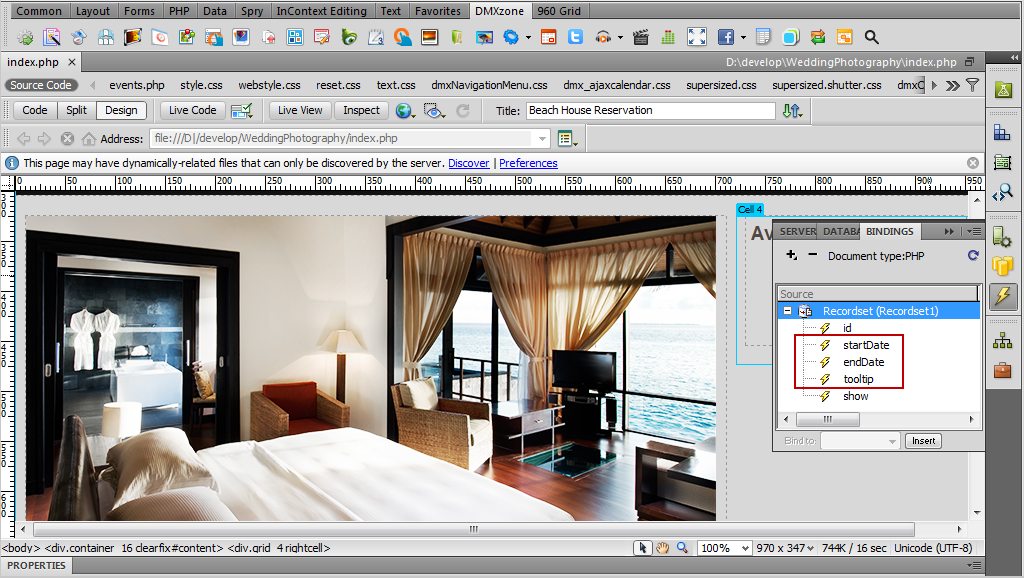
- We've already created a standard Dreamweaver recordset. We have Start date, Till date and Tooltip message.
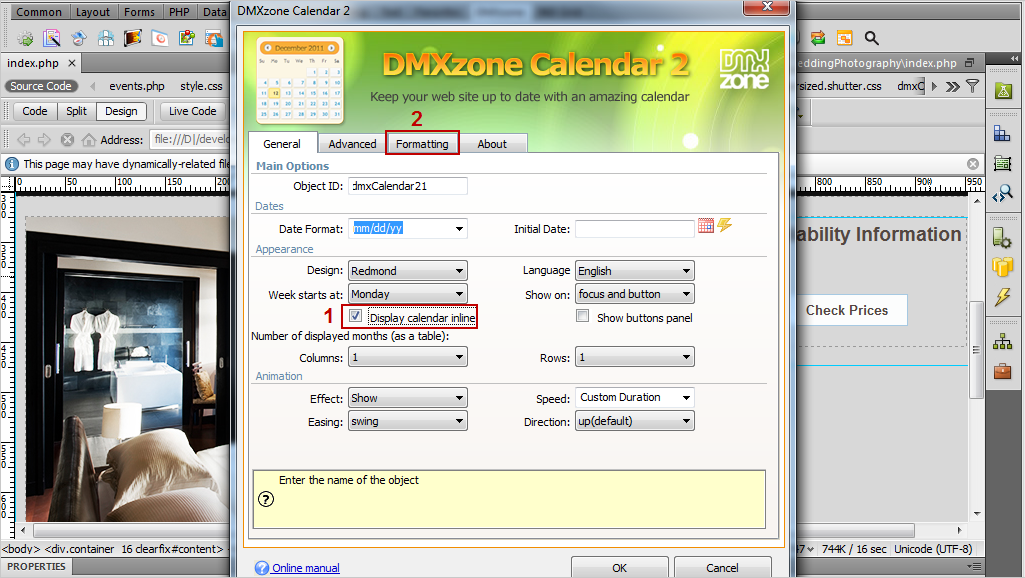
- In the DMXzone Calendar 2 window, select the display calendar inline check box (1) and choose the formatting tab (2).
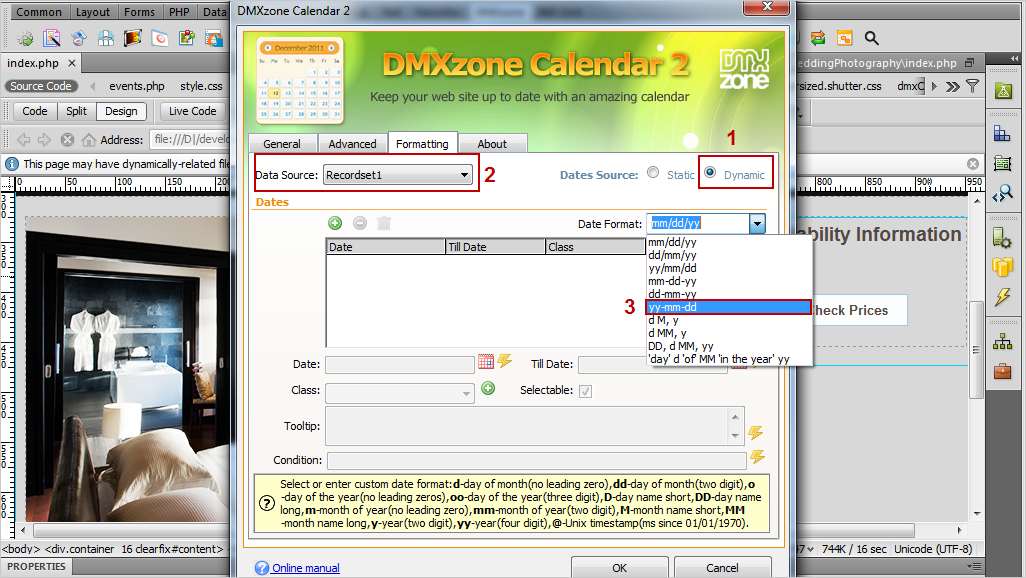
- Select the dynamic data source (1),
choose your recordset (2) and add a date format (3). For
this tutorial we're using MySQL server and its default date format is:
yy-mm-dd.
- Click the Add new date button (1) and click the choose
dynamic data as value button for the date field (2).
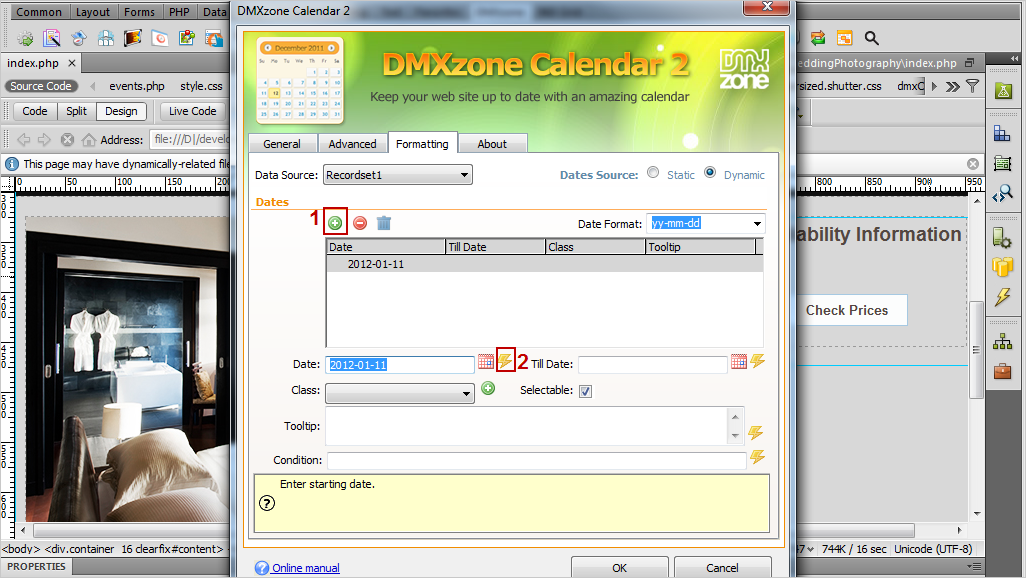
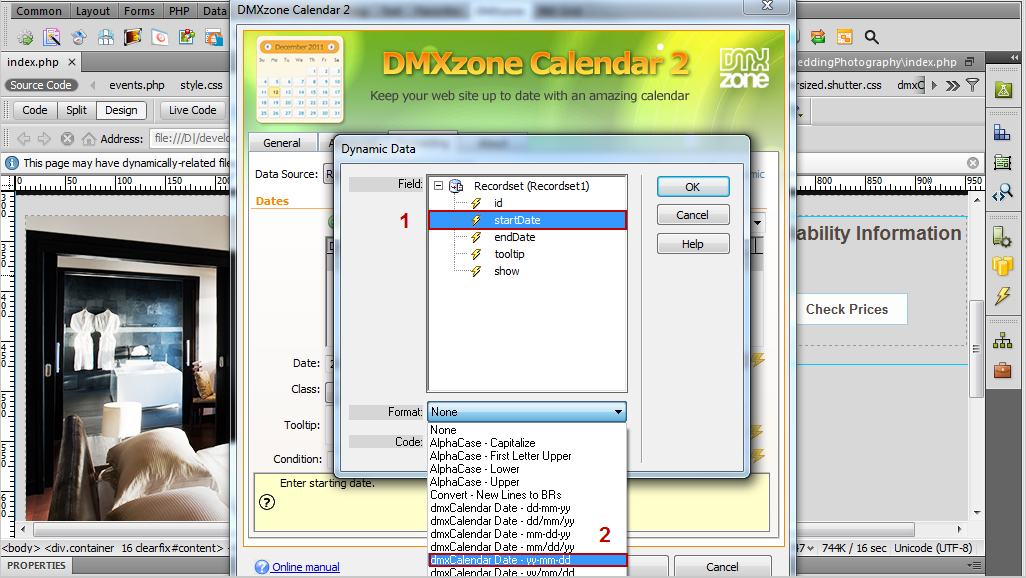
- Select the binding corresponding for the date (1) in your recordset and choose yy-mm-dd as a date format (2).
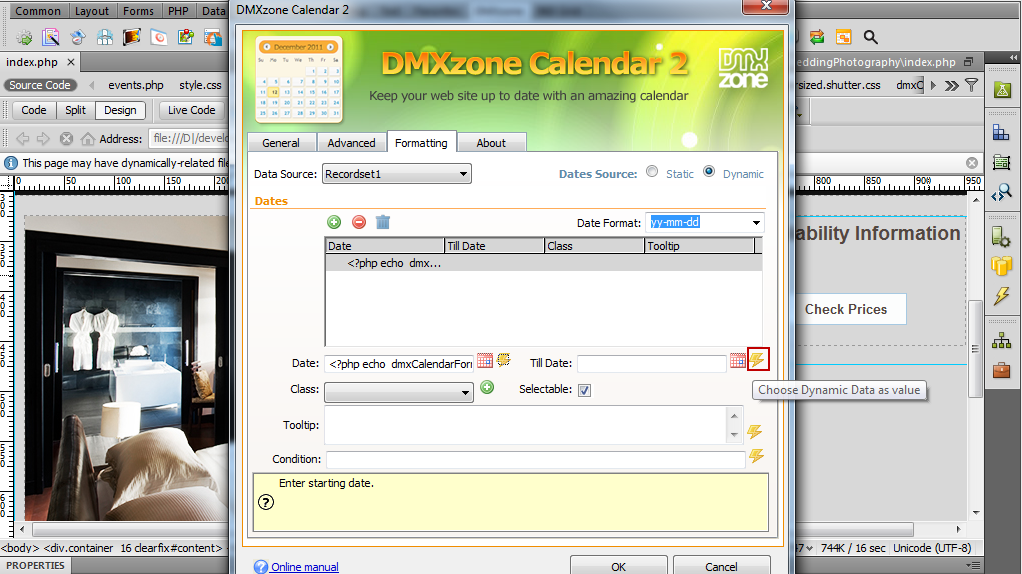
- Click the choose dynamic data as value button for the till date field.
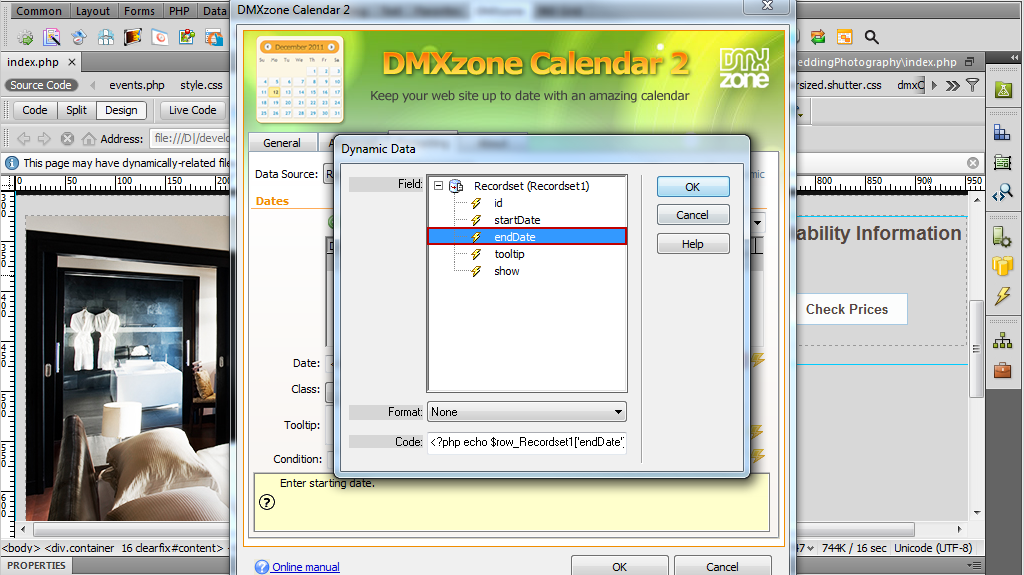
- Select the binding corresponding for the till date in your recordset and add the same date format as we did previuosly.
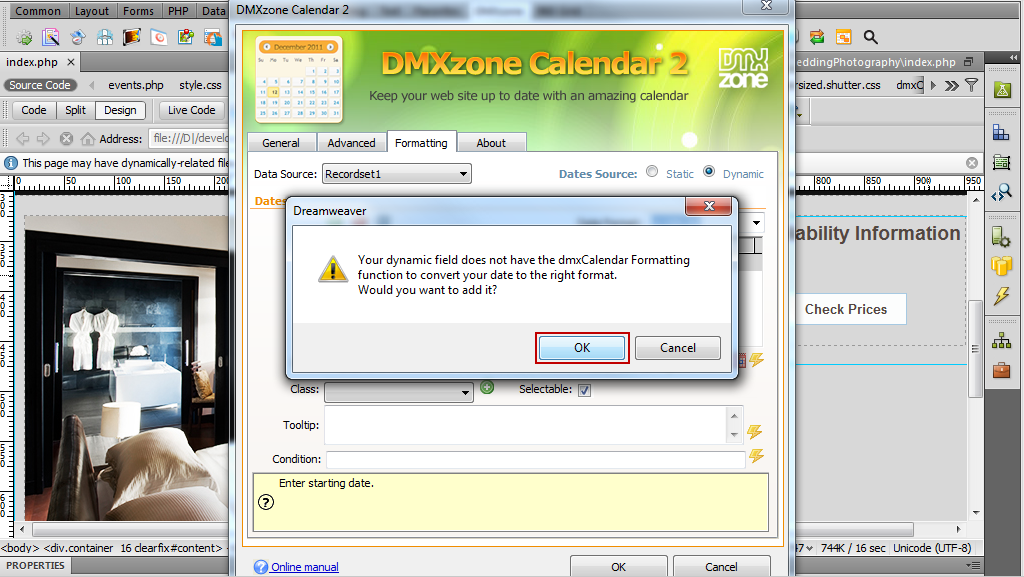
- If you don't choose a date format a message will appear when you click ok, asking whether to add the defined earlier. You can simply click OK.
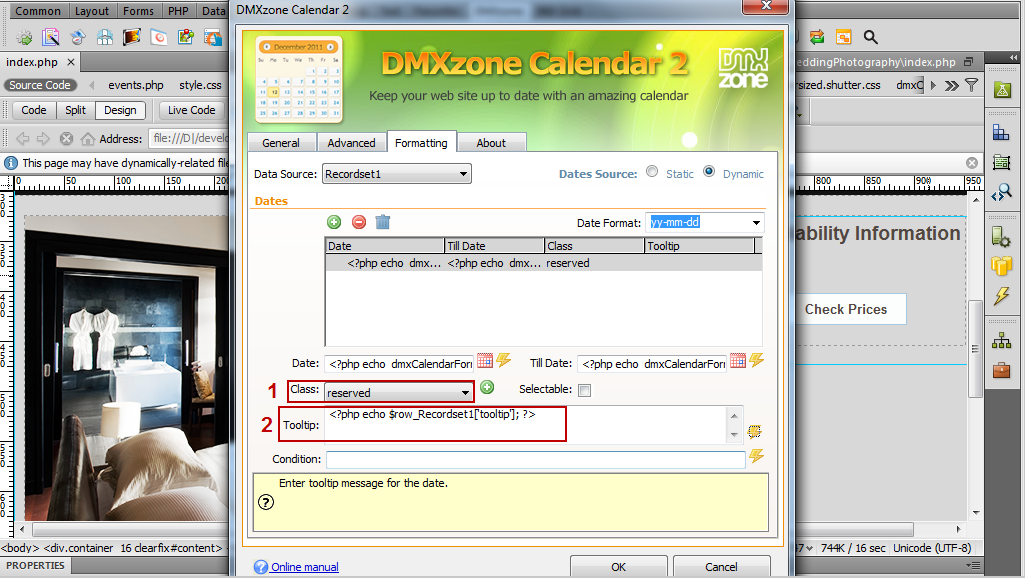
- We set a class (1) that will be applied to these dates and choose the binding for the tooltips message in our recordset (2).
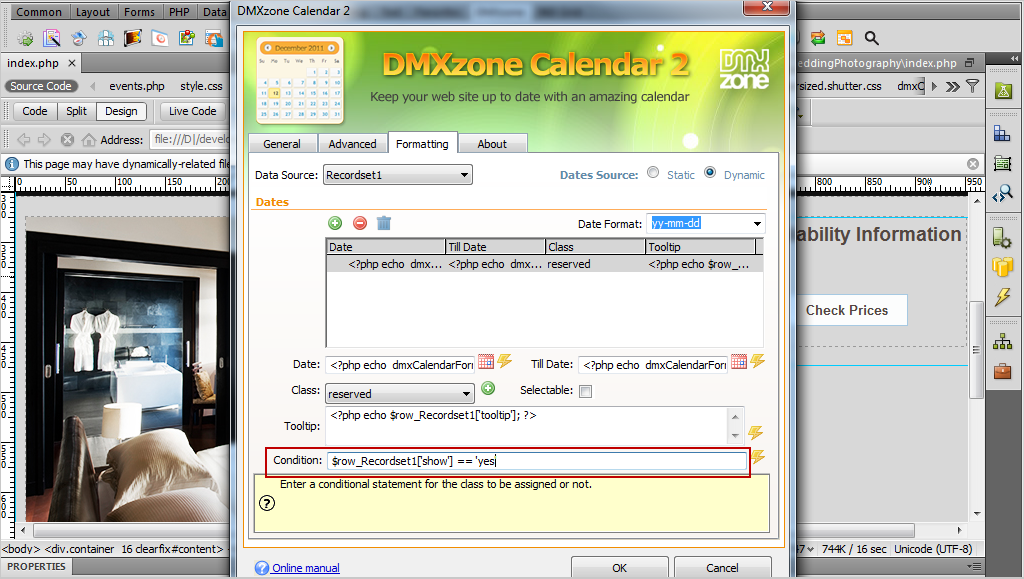
- You can set a conditional statement for the class to be assigned or not. We added the following condition: If a date has the word "yes" in the column named "show" then the class will be assigned to this date.
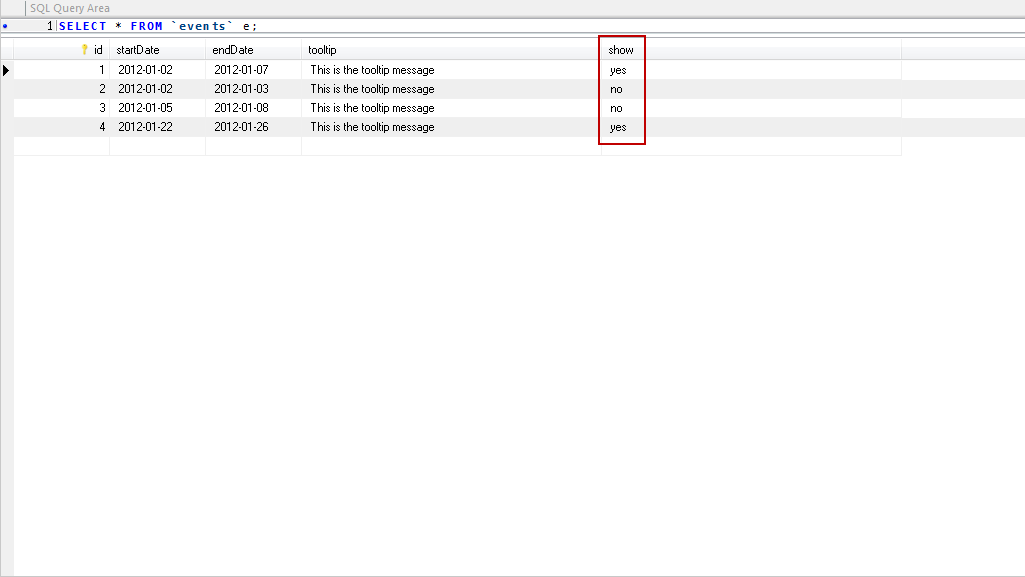
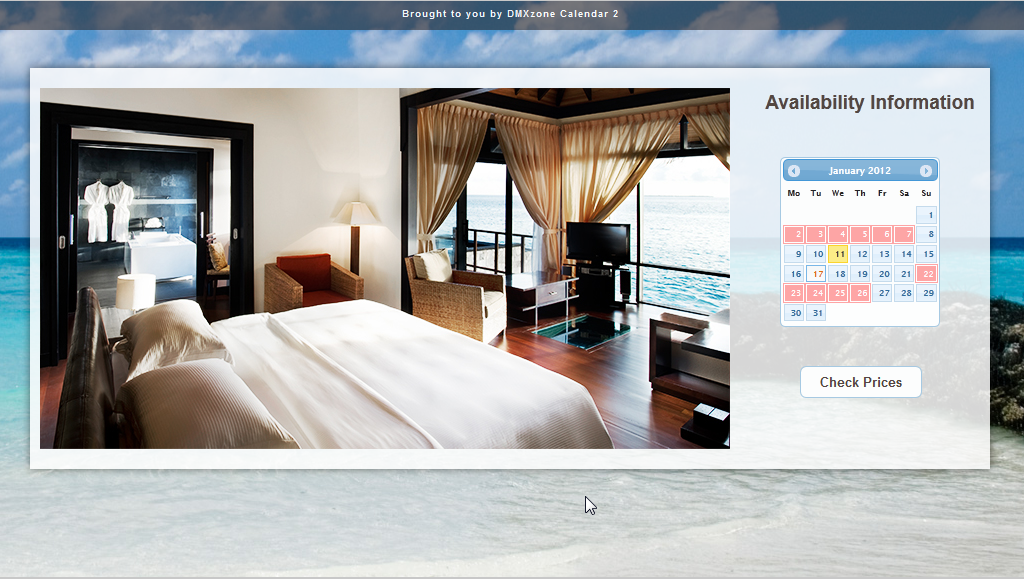
- Now, you can save your work and preview
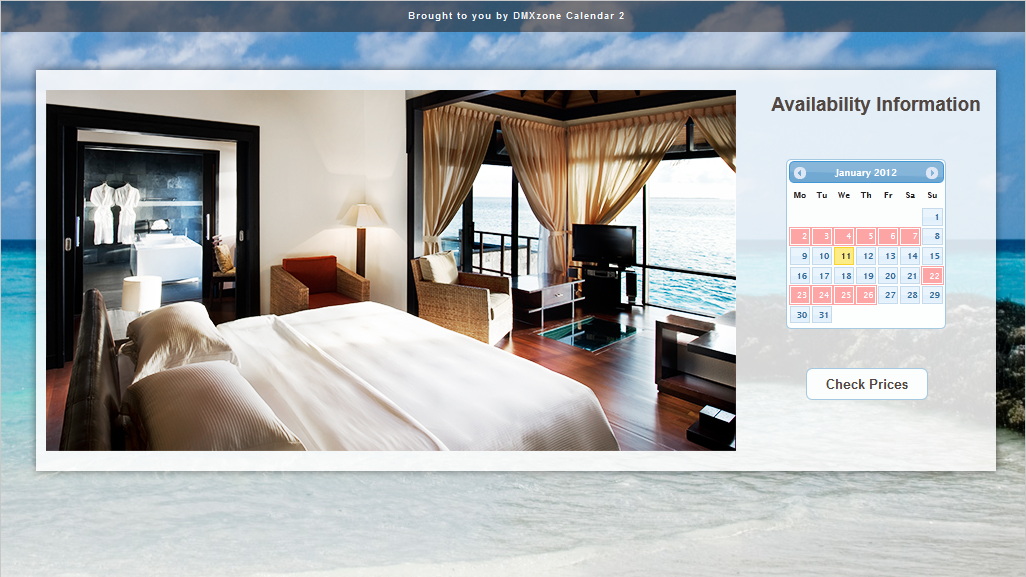
the result in the browser.
Comments
Be the first to write a comment
You must me logged in to write a comment.